The ask, help a Power Platform maker delete a bunch of SharePoint Online (SPO) library items. They deployed a solution of Power Automate cloud flows earlier this year to sync external system data with SPO, creating document sets for each external record.
The problem, another team, without the maker’s involvement, just batch imported legacy data into the external system, triggering unexpected document sets to be created overnight. Their library ballooned by tens of thousands of items.
Now, they’re scripting a PowerShell fix to find and delete these items using the Microsoft Graph API. Unfortunately, their response object can, at most, only return 5,000 items.
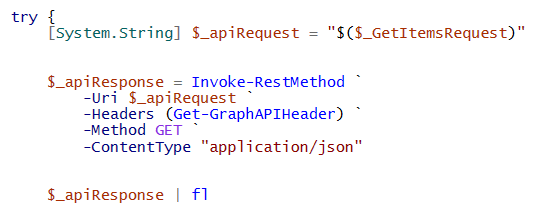
And because 5k is a hard limit, increasing the $top parameter value to 45k won’t work. So, what can they do instead? Well, the maker could first set the $top parameter value to 5000, returning the max number of records per response, iterate that dataset, then grab the @odata.nextLink property value of the API response and use it to iterate the next subset of the larger dataset. Rinse and repeat until there’s no longer an available nextLink property:
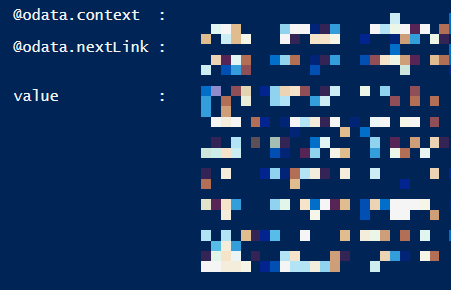
This works because the nextLink value includes a &skiptoken, an API parameter for the subsequent API requests to gradually iterate the bigger dataset in batches, never forgetting its place:

To grab this value, use the dot operator and single quotes for the property name as a key-value pair. Use this on the @odata response object, then pass the value along to a recursive API request:

Conclusion:
If there are fewer total library items than the $top parameter value, then there is no nextLink property. The nextLink property is only present when there is at least 1 more total item than the $top parameter value, which can at most return 5,000 items per Microsoft Graph API response. To iterate larger datasets, use the nextLink to tackle it in chunks.
“My philosophy is such that I am not going to vote against the oppressed. I have been oppressed, and so I am always going to have a vote for the oppressed, regardless of whether that oppressed is black or white or yellow or the people of the Middle East, or what. I have that feeling.”
Septima Poinsette Clark
#BlackLivesMatter

