The ask, help a power user recreate several of their SharePoint Online (SPO) lists as Dataverse data tables. For the most part, their column types map pretty well, but one of the SPO list columns is Calculated. So, what is the comparable Dataverse column type?
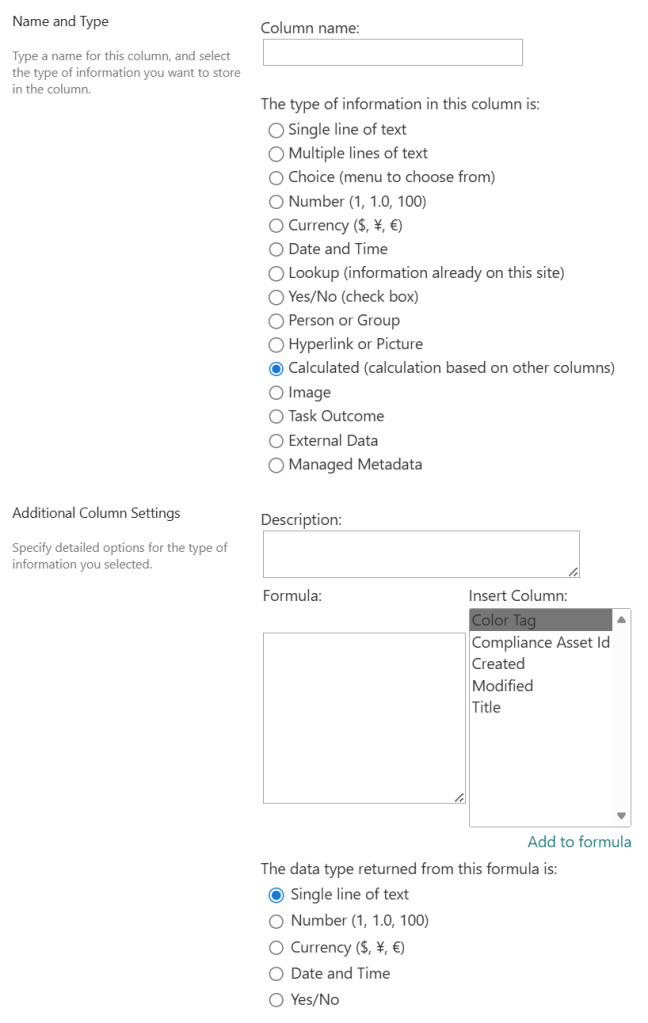
Though there will be differences, SPO Calculated columns could be recreated as a Dataverse Formula columns. Helping this power user create their very first Formula, let’s create a “Full Name” column, concatenating “First Name” and “Last Name”:

To get started, navigate to the Dataverse table, then select “Columns” under Schema. On the next screen, select New column, set the Display name to “Full Name,” and choose type Formula, which will open the formula text area. Now, because column names like “First Name” and “Last Name” have spaces, they need to be treated as string literals with single apostrophes, so enter the formula like:
- Concatenate(‘First Name’, ” “, ‘Last Name’)
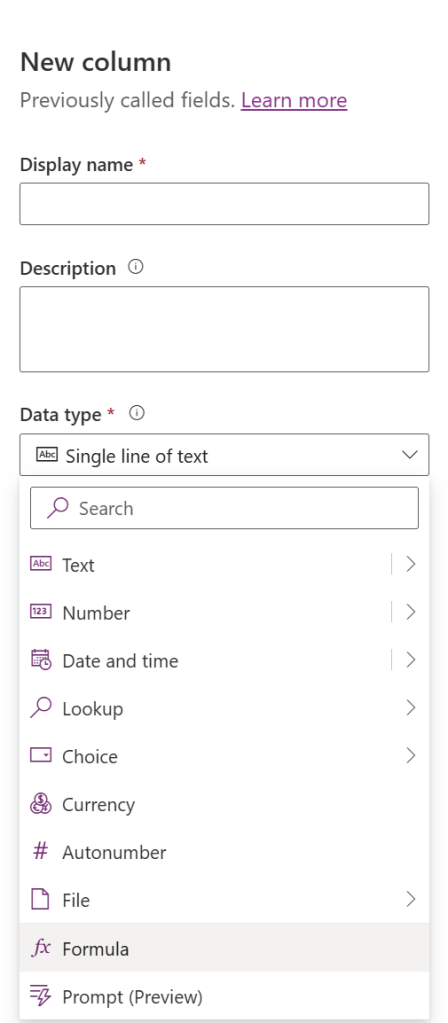
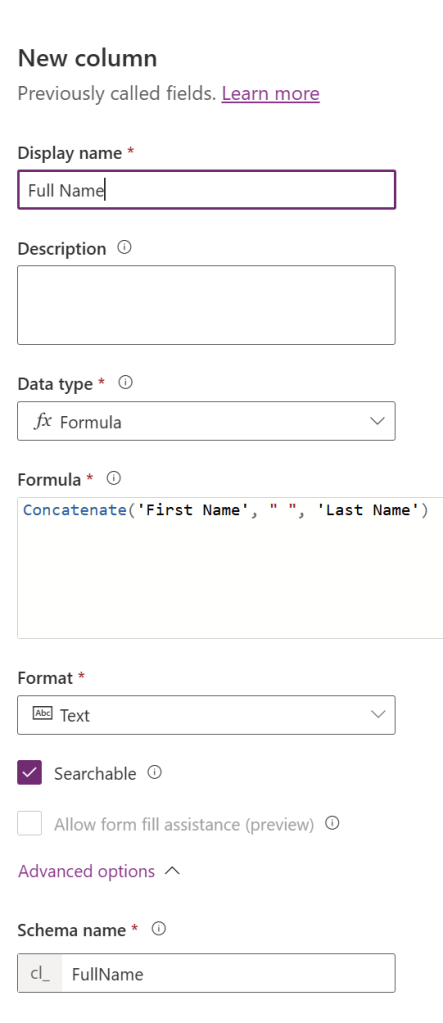
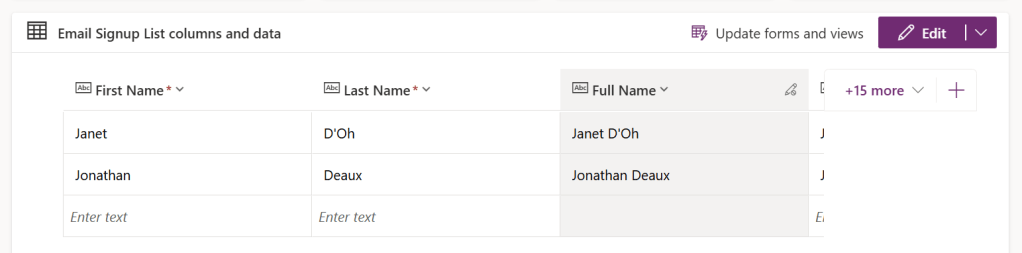
Save the changes, add the column to the view, and they’re all set!
Conclusion:
Microsoft Dataverse isn’t scary. It’s actually pretty easy to adopt, even for those coming from strong SharePoint backgrounds, as they recreate their existing lists.
“We beg you to save young America from the blight of race prejudice. Do not bind the children within the narrow circles of your own lives.”
Charles Hamilton Houston
#BlackLivesMatter

