There are essentially two content sync options in SharePoint Online (SPO). Traditional Sync, which is pretty straight-forward, and Add shortcut to OneDrive, which is a bit more confusing for some. Because the shortcut button is stand-alone and it doesn’t explicitly say “sync,” it does something completely different, right?
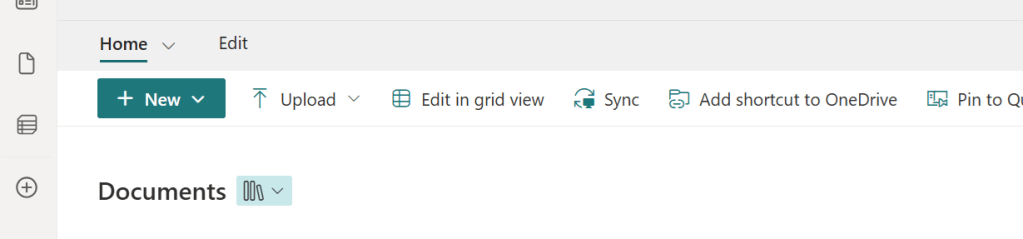
Somewhat, but not entirely. Selecting the Add shortcut to OneDrive button tells SPO to show this directory in the person’s OneDrive (for Business) account, which means that it’s now listed amongst their personal files AND syncing to their machine:

And that can be confusing because OneDrive is meant for personal files, not team files, right? Well, yes. Though, the important thing to note is that shortcuts don’t actually move or copy anything from SPO to OneDrive. The content still lives in SPO. However, now it’s also accessible via OneDrive, making it easier to access content from a bunch of different SPO directories without having to navigate away from OneDrive:
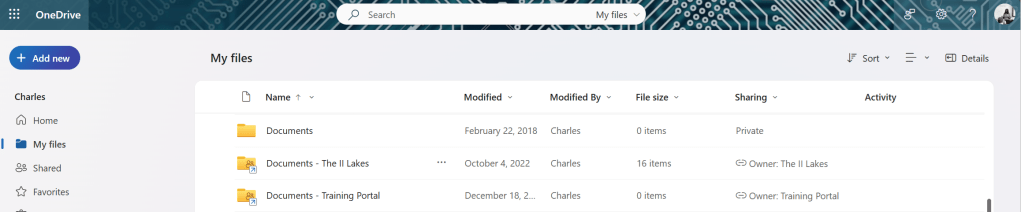
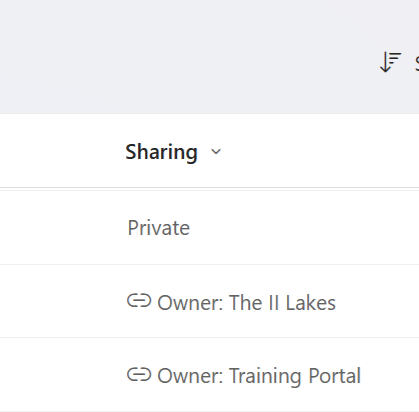
Also, to keep track of where the SPO content originated, under the Sharing column, OneDrive specifies which of the many SPO sites this content is actually housed. And an added bonus, selecting the shortcut owner name opens the SPO directory:
Conclusion:
Adding a OneDrive shortcut doesn’t move or copy any content out of SharePoint Online, but it does sync the content along with their OneDrive files. The content still lives in SPO. The shortcuts just create faster ways to access the SPO content from the centralized view of a person’s OneDrive.
“Progress is possible, but it is fragile – and across our country, the battles for our most basic civil rights rage on.”
Stacey Abrams
#BlackLivesMatter

