SharePoint is a collaboration platform that also encourages self-governance. Sure, the IT department could deploy and manage all things SharePoint, but that isn’t always best. In an ideal, balanced partnership, IT would just handle the administrative tasks and empowered users would provision their own site collections, manage their own site access, and create their own document libraries without IT being a bottleneck.
Even so, self-managing SharePoint is often tricky when teams sync too much of their content. Syncing alone isn’t an issue, but it becomes a problem when team members accidentally move an important folder or two, making content difficult to find. So, how does one prevent these accidental folder moves? Well, change the target folder’s permissions to Read. Now they can’t modify the directory, thus preventing folder moves because they’re only allowed to “view” that item:
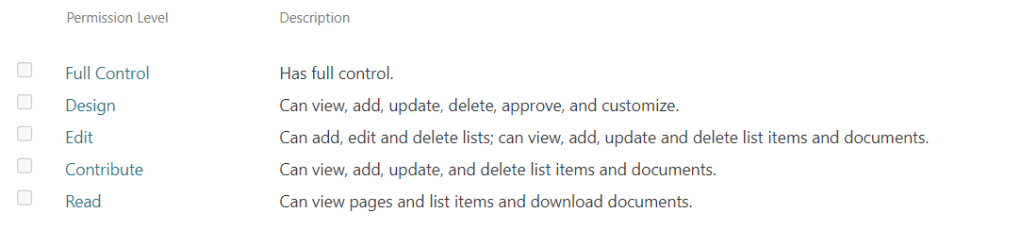
With the parent folder permissions set to Read for everyone, break the inherited permissions for any nested content and assign the team Contribute permissions so they can work with their files:
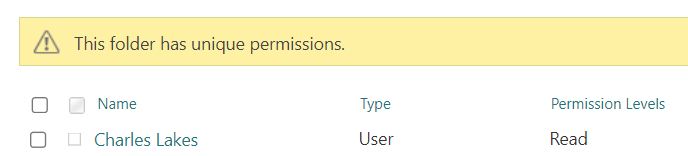
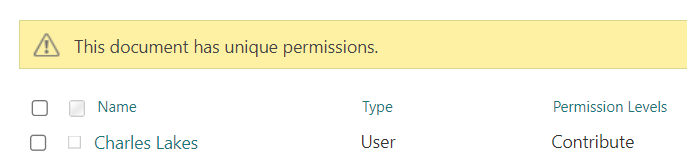
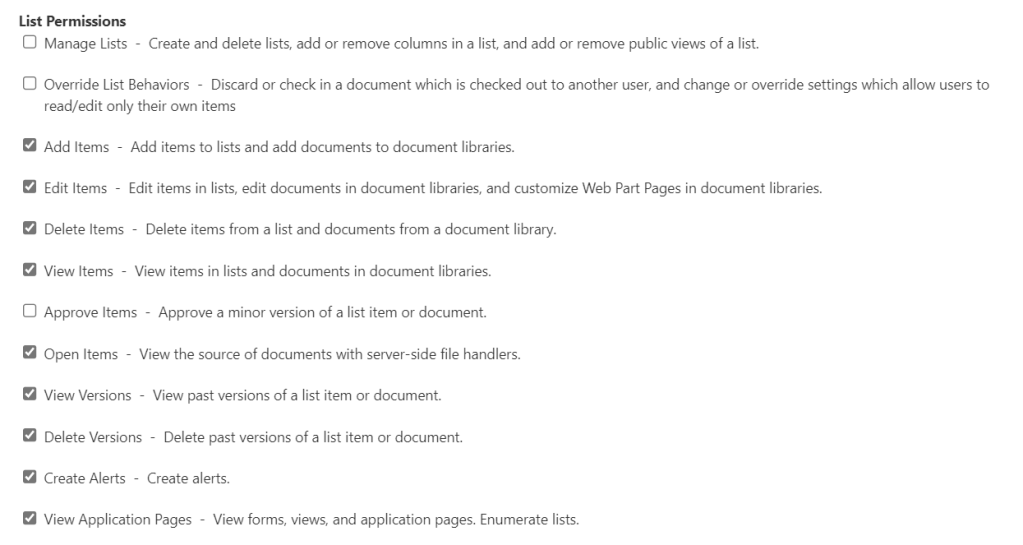
Keeping in mind SharePoint has several out-of-the-box permission levels, Read is the lowest access level available. Though, when necessary, site owners can create additional permission levels and specify what is allowed at the list-level:
Conclusion:
SharePoint fosters collaboration and that requires trust. Do you trust your team to edit files? If so, then that means that they can also edit and move folders. A workaround to this, only give them Read permissions to the folder they shouldn’t move, then edit to the nested content. That’s a clunky approach though…
A better approach, flattening the document library and using metadata instead of folders. That addresses the immediate concern and any future issues with file path length errors. Unfortunately, not everyone is ready to restructure and organize their content.
“A community is democratic only when the humblest and weakest person can enjoy the highest civil, economic, and social rights that the biggest and most powerful possess.”
A. Philip Randolph
#BlackLivesMatter
 console.log('Charles');