The ask, update the metadata of a document set using a Power Automate cloud flow. In this ask, the document sets are created when certain conditions are met in an external source system. Post-creation, that metadata is kept in sync, receiving updates as changes are made in the source system.
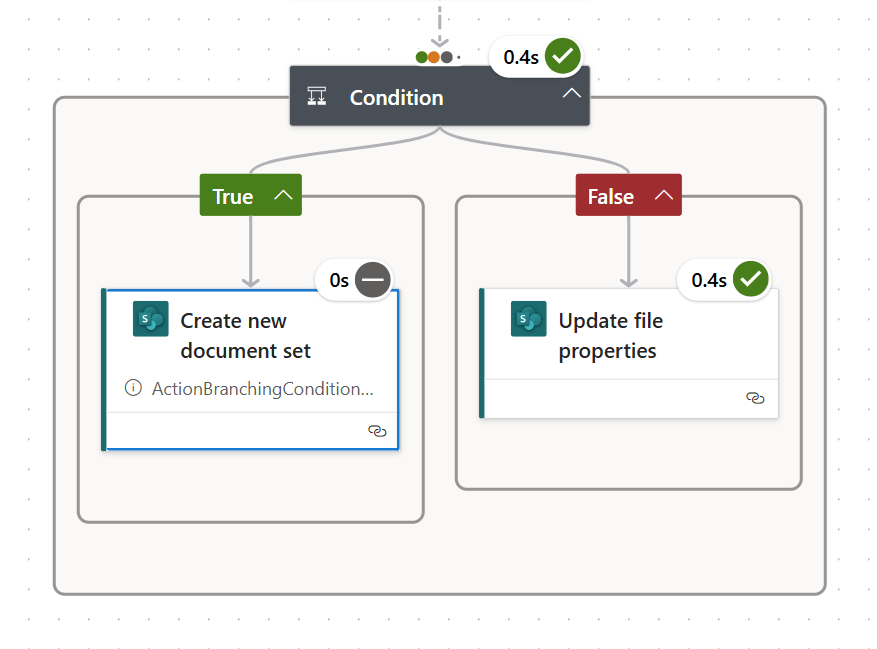
So, creating the document set is straight-forward because Power Automate has an obvious flow action available, “Create new document set.” However, updating that document set isn’t as straight-forward because there isn’t a similarly obvious action listed. Surprisingly, “Update file properties” is the flow action to use after determining whether or not the document set exists to update its metadata:

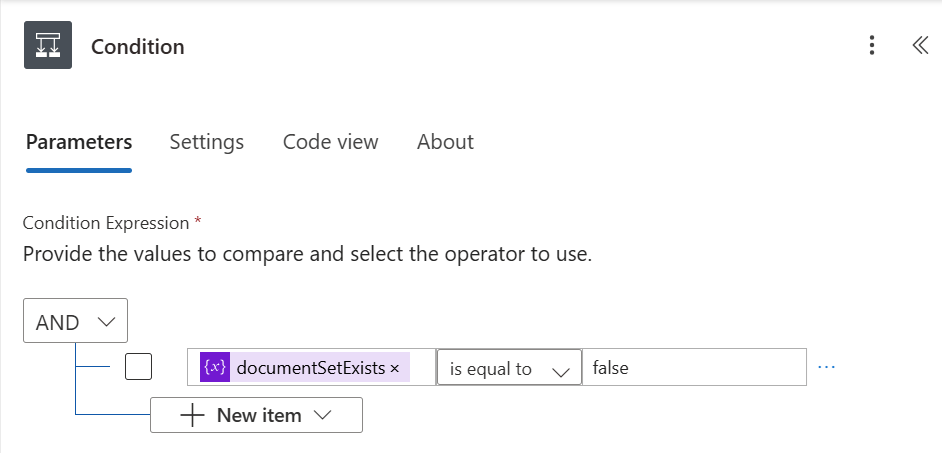
Using the Boolean variable from the document set check step, add a condition block. If the document set doesn’t exist, then create it. Otherwise, update the metadata values of the existing document set using its ID, and voila:
Conclusion:
Document sets can be created and modified using triggers from external systems, keeping their properties synced with the source system, ideally the source of truth for this data.
“There is a price to pay for speaking the truth. There is a bigger price for living a lie.”
Cornel West
#BlackLivesMatter

