Reiterating, “high-code” error handling isn’t supported in Power Automate. However, flow creators can use Scope controls and mimic a try-catch-finally execution:

To recreate the “try-catch-finally”-esque experience, add three Scope blocks to the flow and rename each:
- Try,
- Catch,
- Finally.
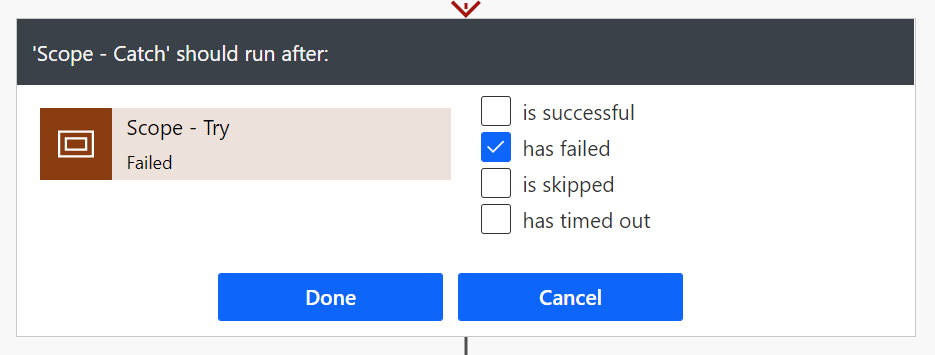
Next, add the necessary actions to each Scope, then Configure run after for the “Catch” and “Finally” blocks:

Fundamentally, the “Try” scope will contain the action(s) likely to cause an error, so configure the “Catch” scope to run if it has failed. The “Finally” block should run whether the “Catch” is successful or is skipped:

And as expected, when there is an error, the “Catch” actions are executed. Otherwise, the “Catch” actions are skipped. Lastly, the “Finally” actions are executed regardless of an error occurs or not:


Conclusion:
Power Automate is “low-code”, so traditional developers often need to get creative. With a bit of resourcefulness, flow makers can mimic some “high-code” concepts.
“In recognizing the humanity of our fellow beings, we pay ourselves the highest tribute.”
Thurgood Marshall
#BlackLivesMatter
 console.log('Charles');