There are hundreds of connectors available in Power Automate. Each connector represents a different service, and services can be daisy-chained together to create automations called “flows”. Often though, flows need to send emails with listed items, reporting on the executed actions.
The easiest way to accomplish this, store the items in an array variable, then use the join() expression in the email body:
NOTE: Array values can be populated dynamically or manually.
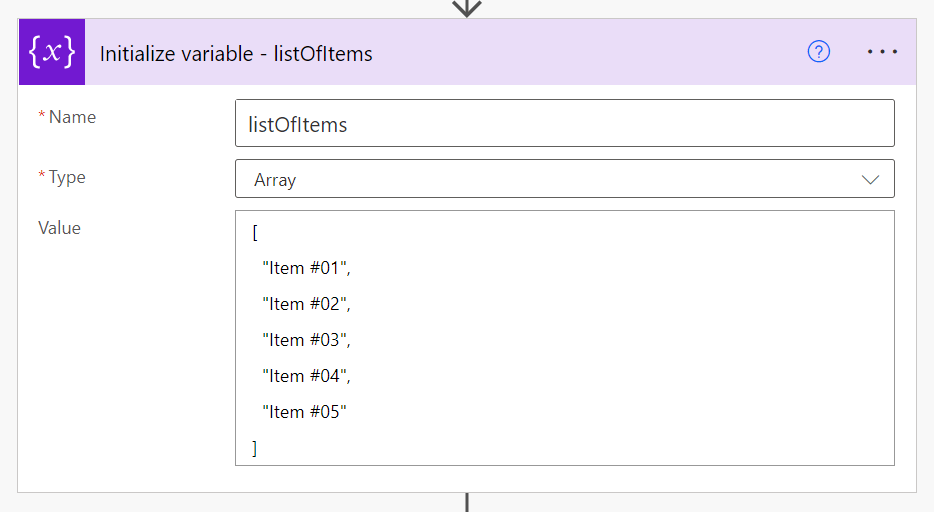
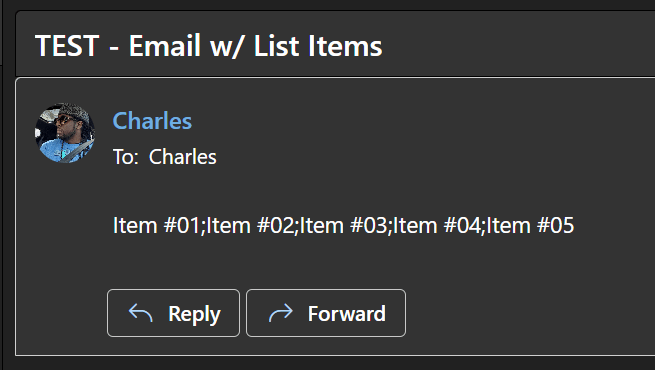
With the array populated, concatenate the items using the join() expression and a simple delimiter, like a semi-colon:
join(
    variables('listOfItems'),
    ';'
)

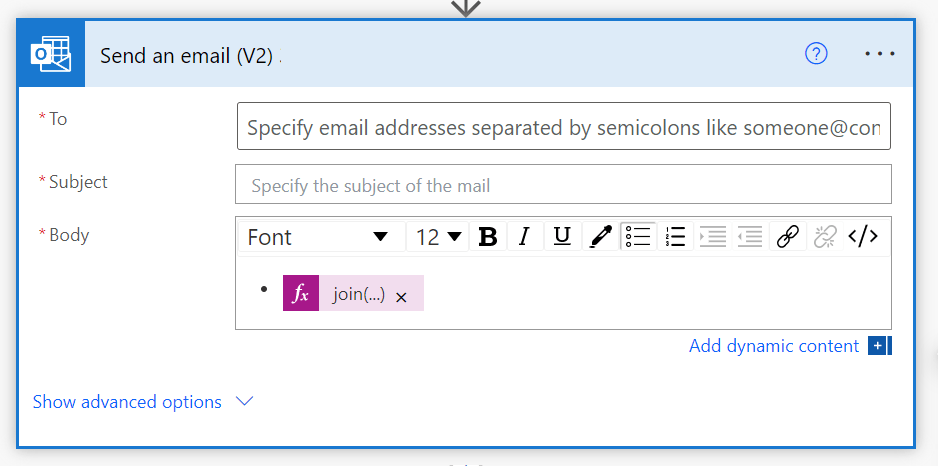
Spicing up the delimiter a bit, output the array items as an unordered/ ordered list:
join(
    variables('listOfItems'),
    ';</li><li>'
)

Conclusion:
Power Automate flows can send emails with numbered instructions, unordered tasks, bulleted actions, etc., but to easily format and list these items, first store them in an array.
“I don’t know what the future may hold, but I know who holds the future.”
Ralph Abernathy
#BlackLivesMatter
 console.log('Charles');