Power Automate can add user accounts to SharePoint Online list items. If the person column accepts a single account, then the assignee claims are passed as a string. But for multiple accounts, the assignee claims are passed as an array.
Illustrating this, loop through a list of approvers, then add them all to a list item…
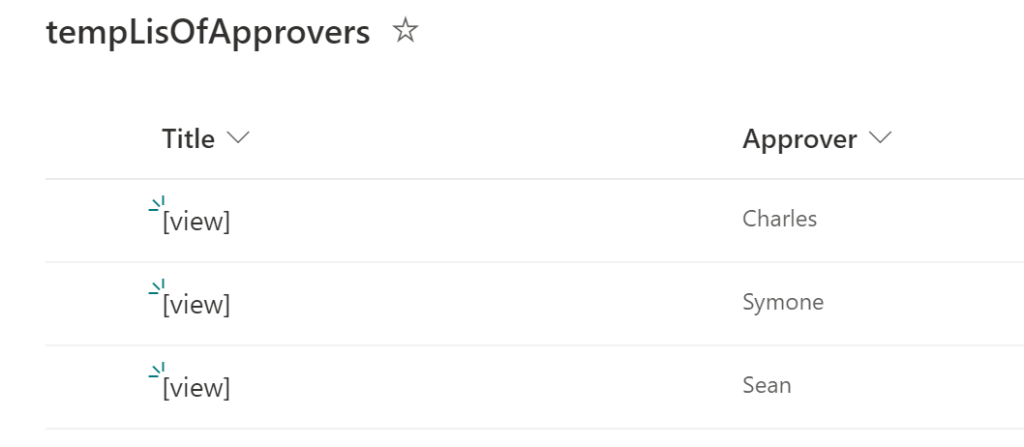
Regardless of the trigger, the workflow should have 1 object variable and 1 array variable. Next, get the list of approvers:

As the list of approvers are enumerated, there are a few actions nested within the for-each loop:
- Set the current item to the object variable,
- Compose/ build the claims object, then
- Append the compose action output to the array variable:
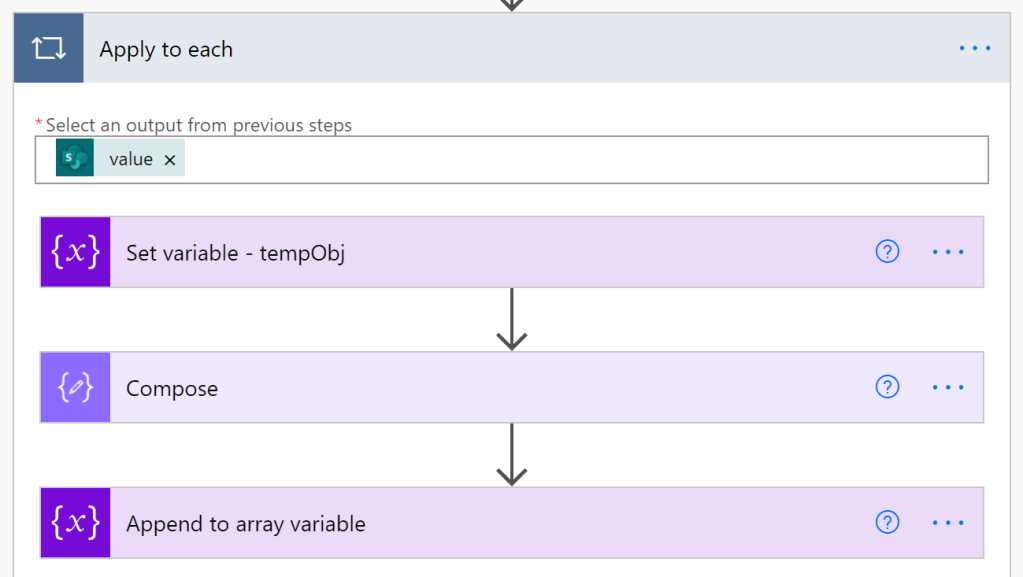
Within the compose action, the claims object is constructed as a key-value pair. This populates the claims of the current enumeration item…
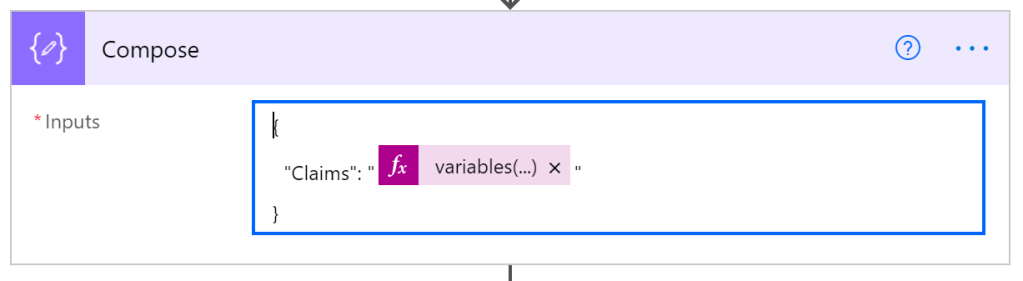
The compose action of Figure 4 formats the user claims from the tempObj variable:
variables('tempObj')['Approver']['Claims']
Lastly, with the array constructed, create a new SPO list item. Note, the person column will need to be switched before it can accept the array variable.

After a successful run, the flow output will show the claims as an array of objects!
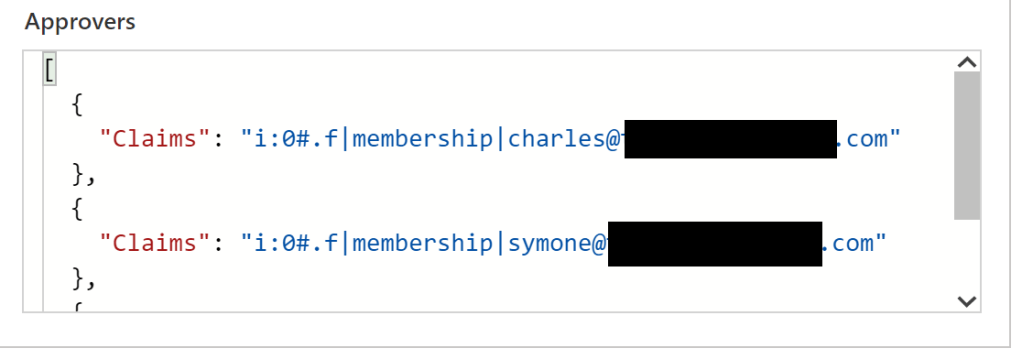
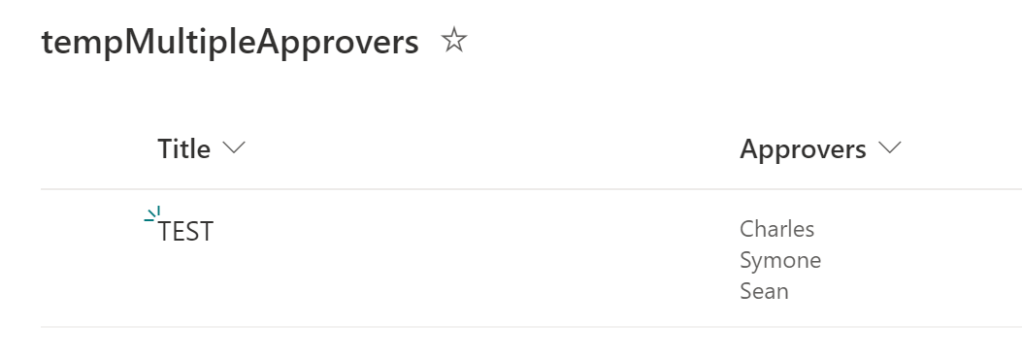
Finally, open the SPO list and review the new item with the multiple accounts assigned:
Conclusion:
Assigning multiple accounts to a list item isn’t impossible, but just requires a few extra steps. Yet, still an easy-ish thing to configure…
“Take a stand for what’s right. Raise a ruckus and make a change. You may not always be popular, but you’ll be part of something larger and bigger and greater than yourself. Besides, making history is extremely cool.”
Samuel L. Jackson
#BlackLivesMatter
 console.log('Charles');
Hi Charles,
Thank you so much for this solution! I’m not 100% where I’m going wrong, but after ‘compose’ and ‘append to array variable’ mine adds slashes to the Claims item. Any ideas? The output on the test reads: [
“{\”Claims\”:\”i:0#.f|membership|yresto@*****\”}”
] and then gives me a bad gateway error. I’m almost sure it’s because of those slashes.
LikeLike
Yaira, the slashes are used to escape the quotes, so that is expected. But for your target list, did you ensure this column accepts multiple selections?
LikeLike