Microsoft Forms is great for quickly collecting responses. Simple forms are created in a few minutes, but even more robust forms are created in maybe half an hour. Though, once the data is collected, what’s next? Someone could process the form results with Power Automate. And mapping most fields is straight-forward. Yet, it’s important to note that all form fields have unique GUIDs. Each field response can be retrieved as a key-value pair using their GUIDs…

Populating the fields in Figure 1, this flow is triggered every time a submission is received:
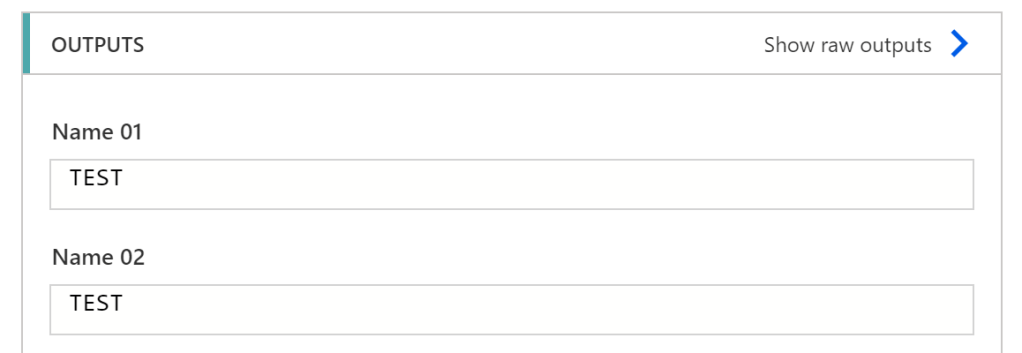
Reviewing a successful flow, the form response is outputted in Figure 2. However, the responses are also part of a JSON object represented in Figure 3:
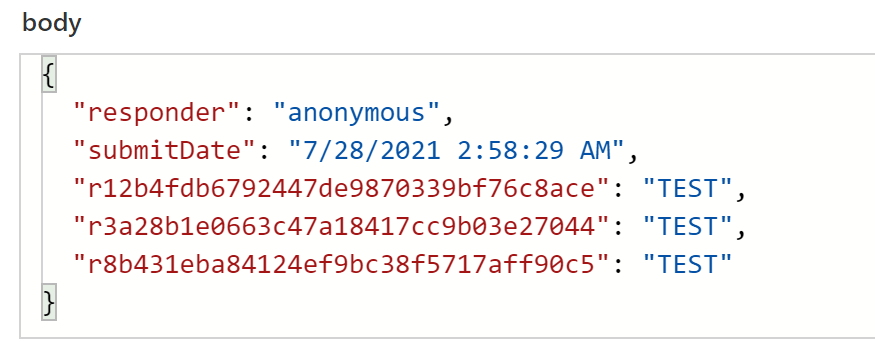
The object properties could be retrieved via key-value pairs as-is, but storing the output body into an object variable makes things easier…
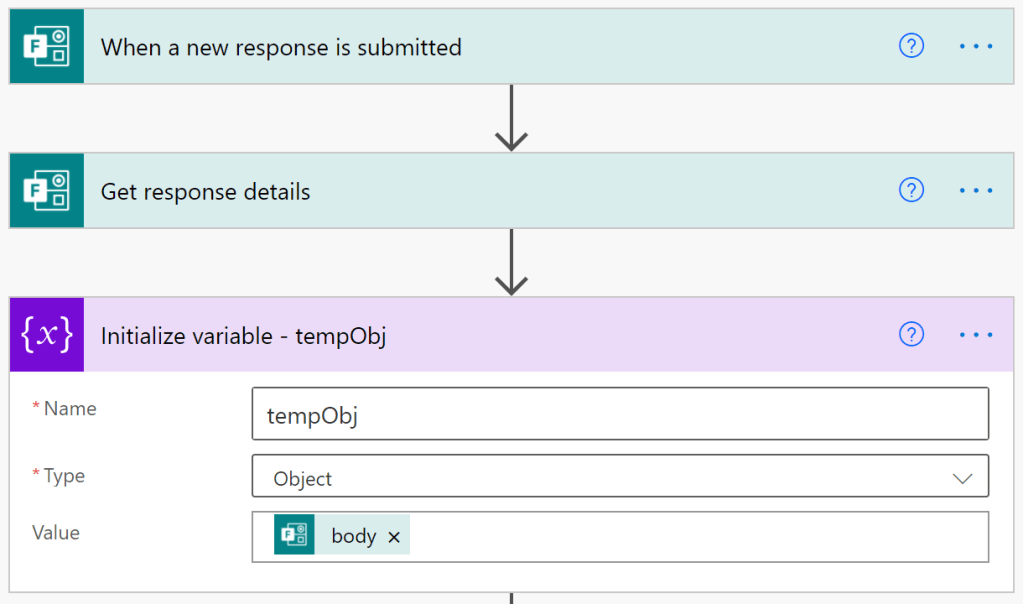
With the output body stored, each form response can be returned using it’s key against the object variable:
variables('tempObj')['r12b4fdb6792447de9870339bf76c8ace']
Conclusion:
GUIDs aren’t necessary to retrieve all form responses, but may be helpful with more complicated forms using branch logic and identical questions…
“Those who commit the murders write the reports.”
Ida B. Wells-Barnett
#BlackLivesMatter
 console.log('Charles');
This is just what I need!! Thanks very much.
LikeLiked by 1 person
You’re very welcome…
LikeLike