The ask, add actions to a Power Automate cloud flow to rename SharePoint Online document sets. Leaning on the Microsoft Learn resources, there is already documentation for working with folders and files with REST and fortunately, document sets are a type of folder:
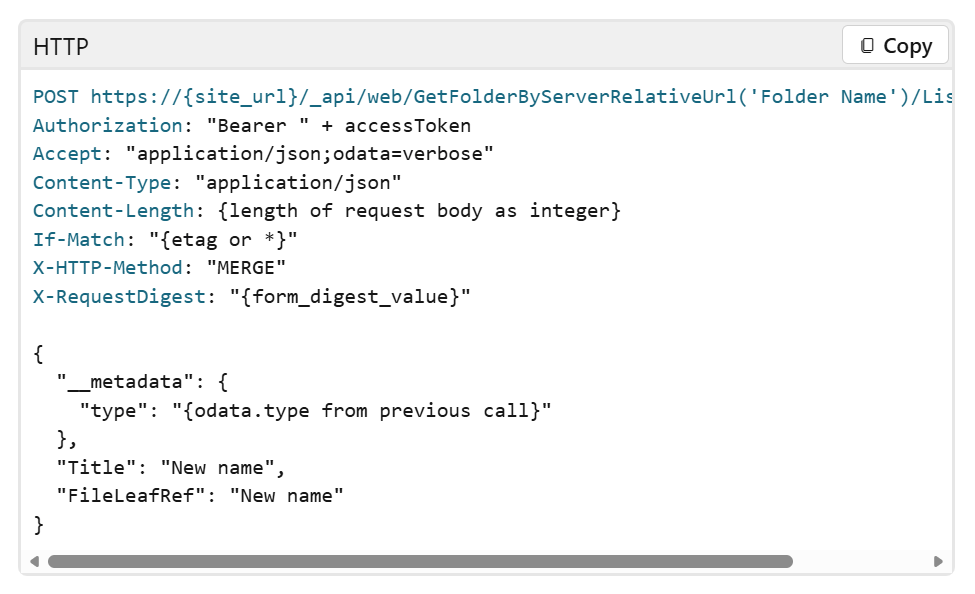
At its core, the REST logic requires three values to successfully rename the document set, excluding the site URL:
- the document set’s item ID,
- the new name of the document set, and
- the document set’s relative folder path.
In this flow, the item ID is returned from another query, then set to the idOfFolder variable as a float. The updated folder name is returned from another system, then set to the newFolderName variable as a string.
To get the relative path, use the idOfFolder variable to Get file properties of the document set.
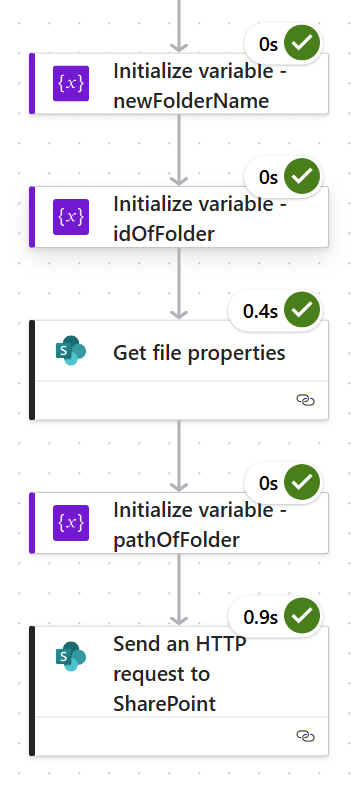
From the Get file properties output, scroll down in its list of properties and set the {FullPath} value to another flow variable, pathOfFolder:

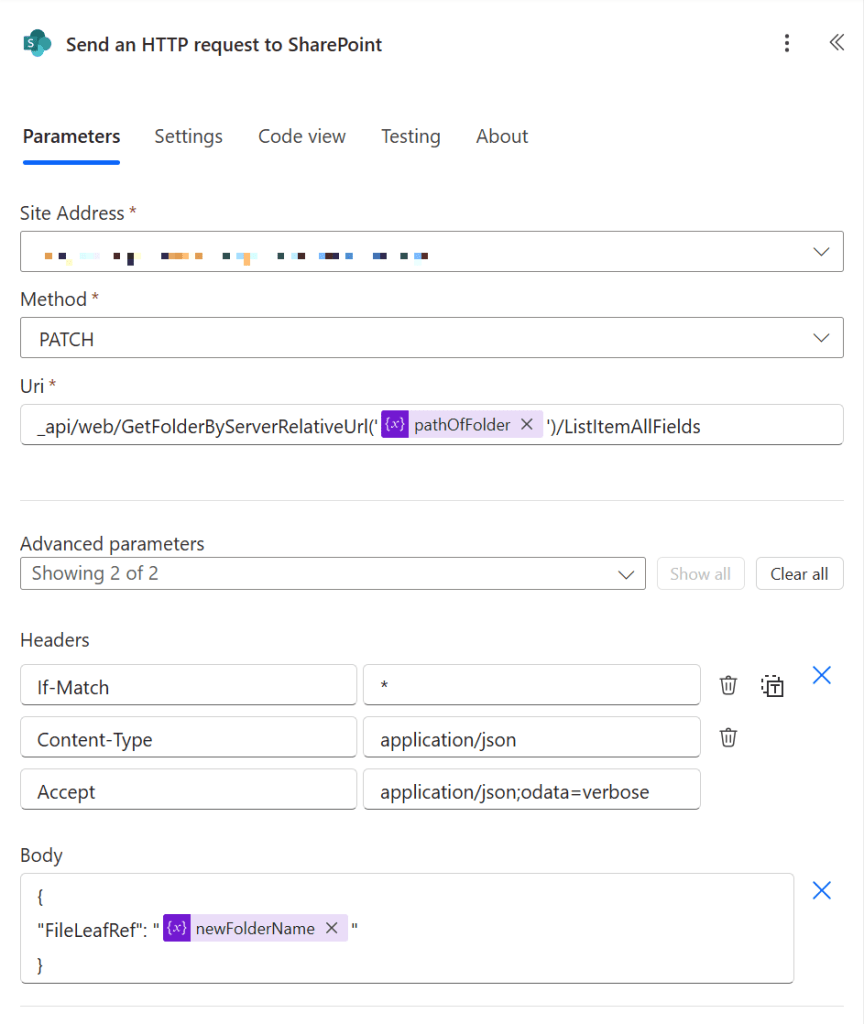
Now, using the document set’s relative folder path, build the REST Uri and target its /ListItemAllFields endpoint using a Send an HTTP request to SharePoint action.
Also, the Microsoft Learn documentation says to use “MERGE” as the HTTP method. Here, it would actually be “PATCH.”
Finally, add the “IF-MATCH”, “Content-Type”, and “Accept” key-values to the action’s HEADERS parameter, then populate the JSON of the BODY parameter, telling the HTTP action to rename the document set with its new folder name, which is represented by the FileLeafRef field.
And with that, publish, then test!
Conclusion:
For simplicity, think of document sets as metadata enabled folders. And because they’re a type of folder, REST APIs designed for folders will sometimes work for them, too.
“Education means to bring out wisdom. Indoctrination means to push in knowledge.”
Dick Gregory
#BlackLivesMatter
 console.log('Charles');