The ask, remove the apostrophes from some input text representing a series of project names, then via a Power Automate cloud flow, create a SharePoint Online folder for each project. Now, the maker already has an action to replace the slashes, which are illegal folder characters:
replace(
    variables('fldrName'),   '/',   '-'
)
But apostrophes are allowed in folder names. The problem, however, is that the maker needs their flow to also rename existing project folders whenever there’s a major project update. Presently, their HTTP rename action fails because of the apostrophes, so getting ahead of further failures, they’re opting to remove the apostrophes during the folder creation process.
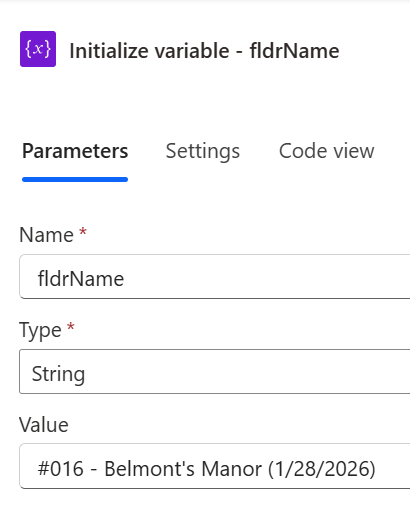
The tricky part is that apostrophes are used in Power Automate expressions for string literals. So, how can the maker easily replace apostrophes without interrupting the string literal? Well, one approach is to first encode the input text using the encodeUriComponent() expression:
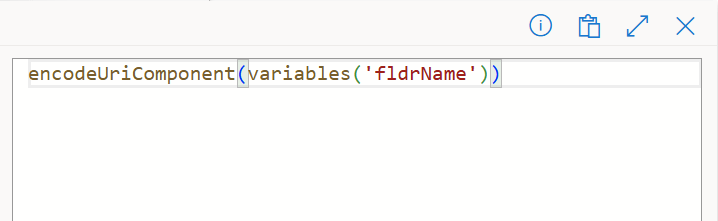
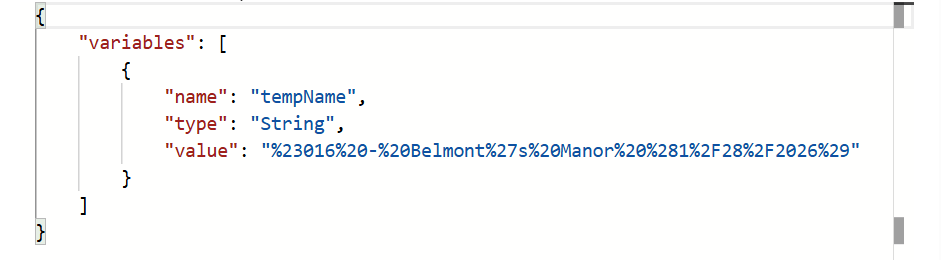
This particular expression outputs an “encoded version for a string by replacing URL-unsafe characters with escape characters,” making the apostrophe and other potentially problematic characters easier to work with. Storing the encoded text into another flow variable, the maker can review its output and see that the apostrophe’s encoded value is “%27”:
Now, replace() the encoded apostrophe, swapping it with a blank, if necessary, then use the decodeUriComponent() expression and convert the project name text back to a friendlier format:
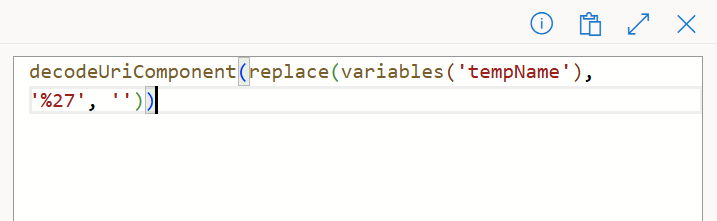
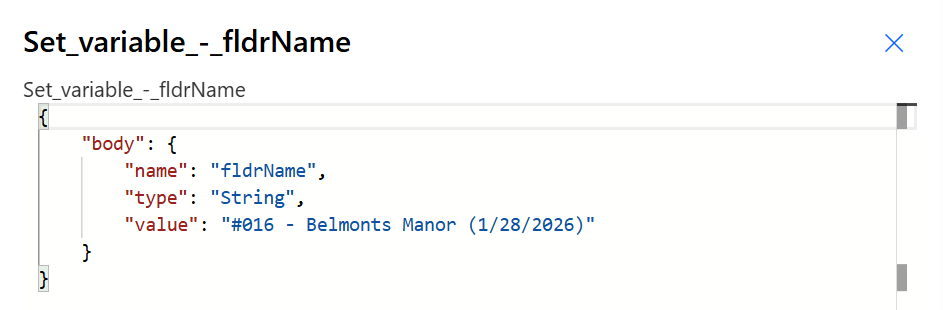
The final result, the apostrophe is removed by first using the encodeUriComponent() expression, then using the replace() expression to remove the encoded values before changing the text back using the decodeUriComponent() expression:
Conclusion:
Most characters can be removed using the replace() expression as-is, but some characters, like the apostrophe, are a bit trickier. For those trickier characters, they can be removed after first encoding the text.
“People need to be aware of the importance of standing up against oppression.”
Claudette Colvin
#BlackLivesMatter
 console.log('Charles');