The ask, update a .NET MAUI app’s Picker control to display more time choices. The existing choice options were manually assigned to the ItemSource representing each hour of the day, but now, because of new project requirements, the app needs to present the time choices in 15-minute increments. While not impossible to implement using XAML, it can be unnecessarily tedious and error prone to manually assign that many items. The better approach here would be using the code-behind and populate the Picker options using C#:

To implement, remove the XAML items and create a new List<> of strings variable to become the Picker control’s data source in the code-behind. Next, initialize two string arrays and an int array. String array #1 will contain the “AM” and “PM” options, and string array #2 will contain the 15-minute time increments. The int array will list the hours from 12 to 11. Now, to build these new time choice options, create and nest three foreach loops, looping from AM to PM, each hour of the day, and each 15-minute increment:

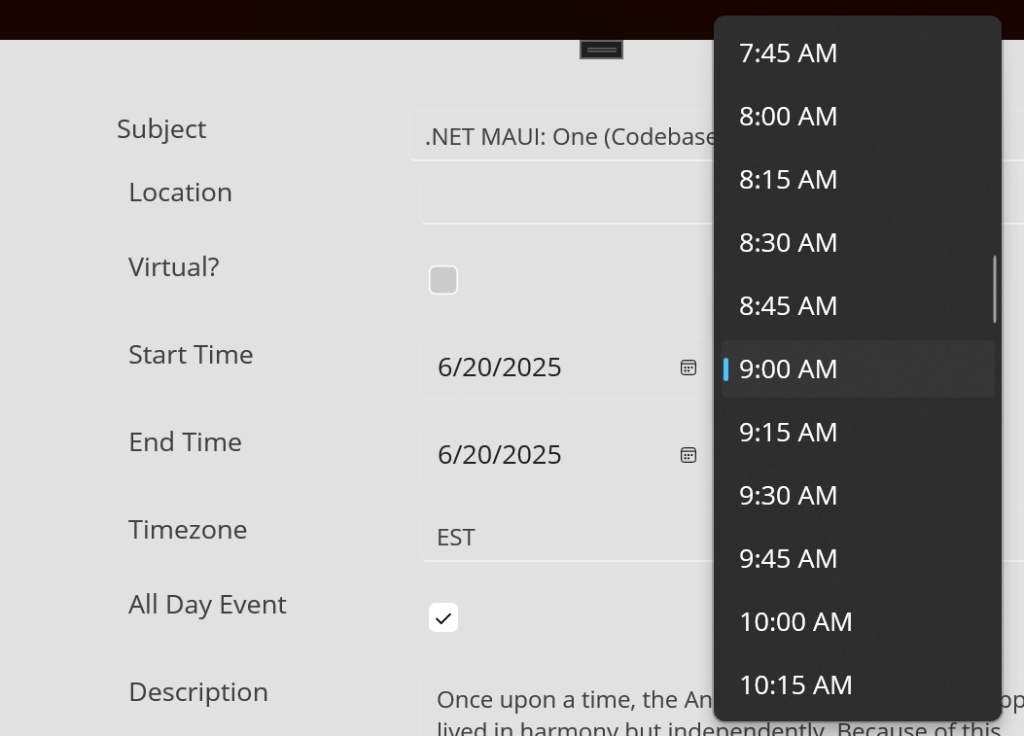
Lastly, rebuild and deploy the solution:
Conclusion:
XAML gets the job done, but there is a tipping point where its implementation can become clunky. At that point, the C# code-behind becomes a cleaner, more scalable, implementation.
“Sometimes it seems like to tell the truth today is to run the risk of being killed. But if I fall, I’ll fall 5 feet 4 inches forward in the fight for freedom.”
Fannie Lou Hamer
#BlackLivesMatter
 console.log('Charles');