The ask, suggest some structural changes for a few Power Automate cloud flows to improve readability. The flow makers are already adding comments and notes to their controls, but their flows still come across as unstructured. The proposed solution, add and nest flow actions into Scope controls:

Why Scope controls? Well, they’re great for grouping related flow actions into logical blocks. Unfortunately, Initialize variable actions can’t currently be nested, so they stay outside of the logical blocks. The other flow actions, though, they can easily be nested and as a group, inherit the status of a prior action:

Now, with related flow actions grouped, the overall cloud flow becomes more readable because all of these nested actions can be collapsed, as cloud flows aren’t limited to one or two Scope controls. To better group flow actions, makers can add multiple blocks, and the blocks can be renamed to be more descriptive of their nested actions:
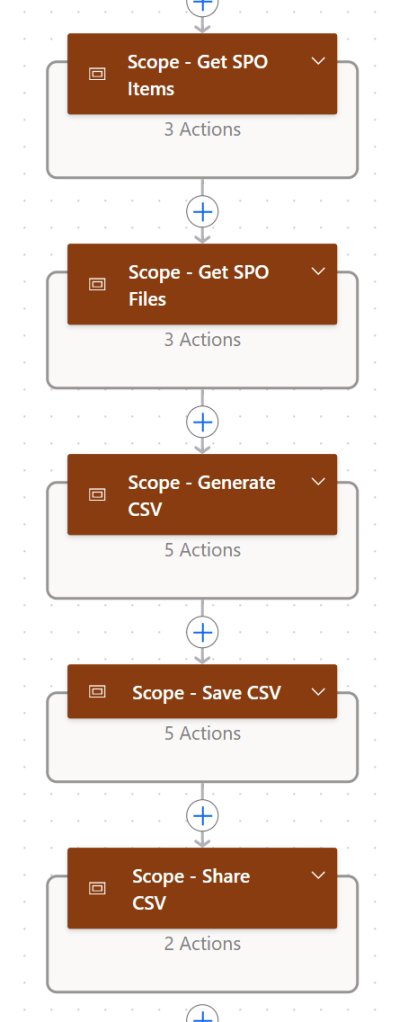
Additionally, Scope controls can easily be nested within one another. Within a top-level logical block, flow makers can add child-level logical blocks to help with flow error handling:
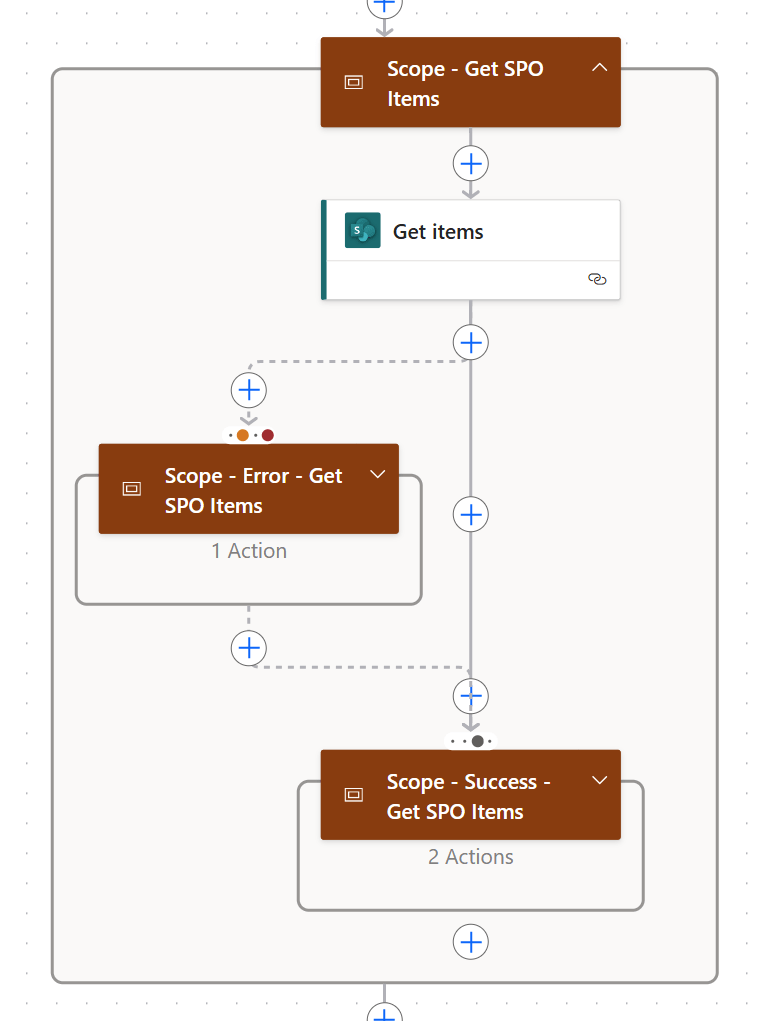
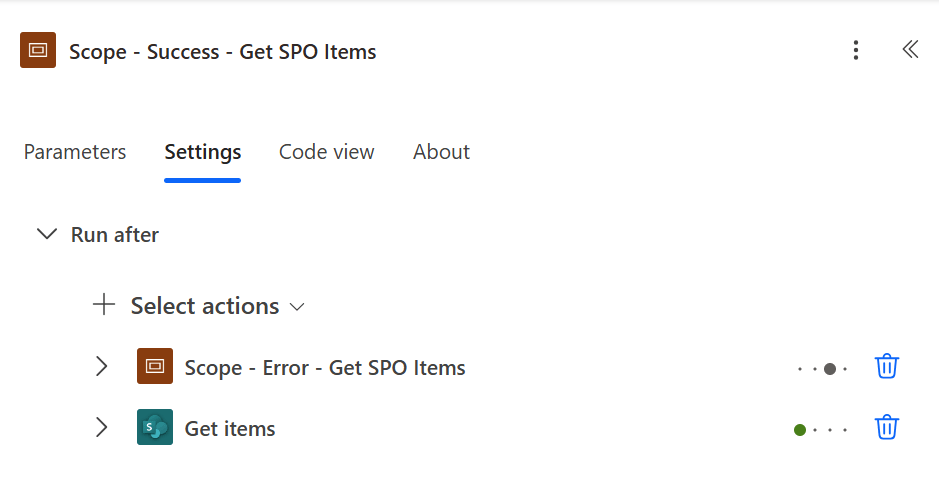
And because these actions are logically grouped together, their Run after actions can be dependent on other Scope controls. If any of the logically grouped actions fail, what should the next logical block do? Email the Support team? Message the flow maker via a post on Teams or Slack? Maybe do both? Just group the actions together in a Scope control:
Conclusion:
Scope controls are an unsung hero of Power Automate cloud flows. They’re great for better organizing flow actions, making flows more readable, and helping make the flow more scalable, as related actions are logically grouped. This grouping allows makers to specify which grouped actions should precede or succeed other logically grouped actions.
“If there is no struggle, there is no progress.”
Frederick Douglass
#BlackLivesMatter
 console.log('Charles');