The ask, figure out why a maker’s cloud flow is running more than expected. Their flow was only recently enabled for PROD, but they reported receiving an email (Figure 1) that their flow was “performing slow” shortly afterwards. Shortly after that, they received a second email (Figure 2) that their flow was “running too many actions.” Not long after that, Microsoft turned their flow off.


Worth noting, in an attempt to help the maker, Microsoft included recommendations in the emails to remedy the cloud flow’s performance. Unfortunately, for this flow, it isn’t an issue of inefficient loops or empty filter parameters. Though, these are helpful things to have considered and ultimately ruled out:

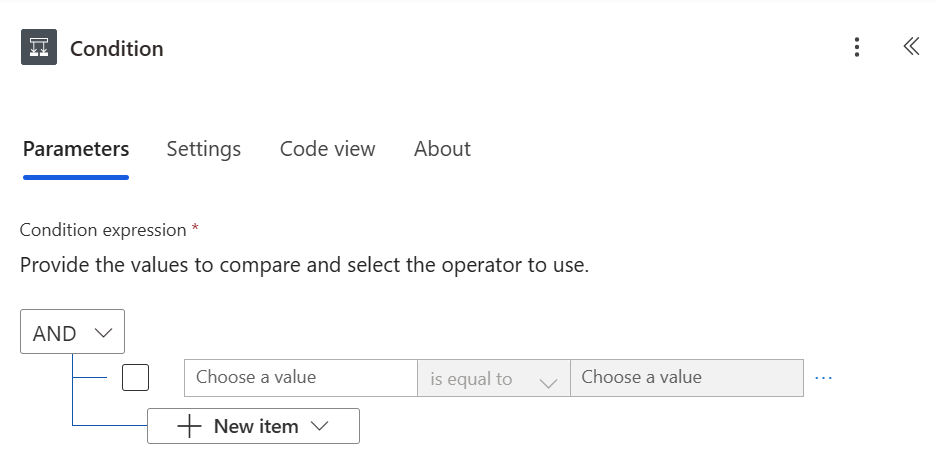
Reviewing their flow’s logic, the maker used an “Automated cloud flow” trigger, so it’s listening for a designated event. Their designated event? Whenever records of a table are modified. By itself, not a problem. However, towards the bottom of their flow, they’re updating table records based on some business requirements, and that is worth a second look. Without realizing it, this maker created an infinite loop. Their flow runs whenever a table record is updated, then their flow updates a record in the same table, which triggers yet another flow run, which updates the table record again, creating a loop with no end in sight. To address this infinite loop kerfuffle, they should add a Condition control with some conditions and nest their update record action. Only update the table record if there is a data mismatch, not every time the flow runs:
Conclusion:
Infinite loops are never good. Software Engineers and programmers know to steer far, far away from them, but with low-code empowering power users, non-devs have likely never heard of infinite loops. As cloud flows are created, be careful when flows are triggered by designated events and have actions updating records in the same system. Take advantage of Condition blocks and only update records when necessary.
“If one really wishes to know how justice is administered in a country, one does not question the policemen, the lawyers, the judges, or the protected members of the middle class. One goes to the unprotected — those, precisely, who need the law’s protection most! — and listens to their testimony.”
James Baldwin
#BlackLivesMatter
 console.log('Charles');