Power Query is Microsoft’s data transformation and presentation engine. Thanks to it, services like Microsoft Power BI can focus on data visualization and let Power Query ETL the disparate data sources instead. Though, highlighting one often overlooked data source, Power Query can actually ETL data from PDFs. Similar to importing data from a CSV, select Get data from the Home tab in the ribbon to get started:
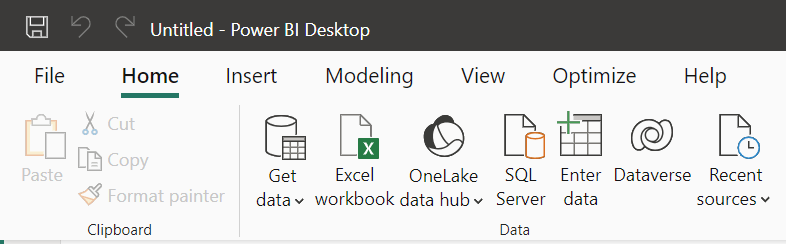
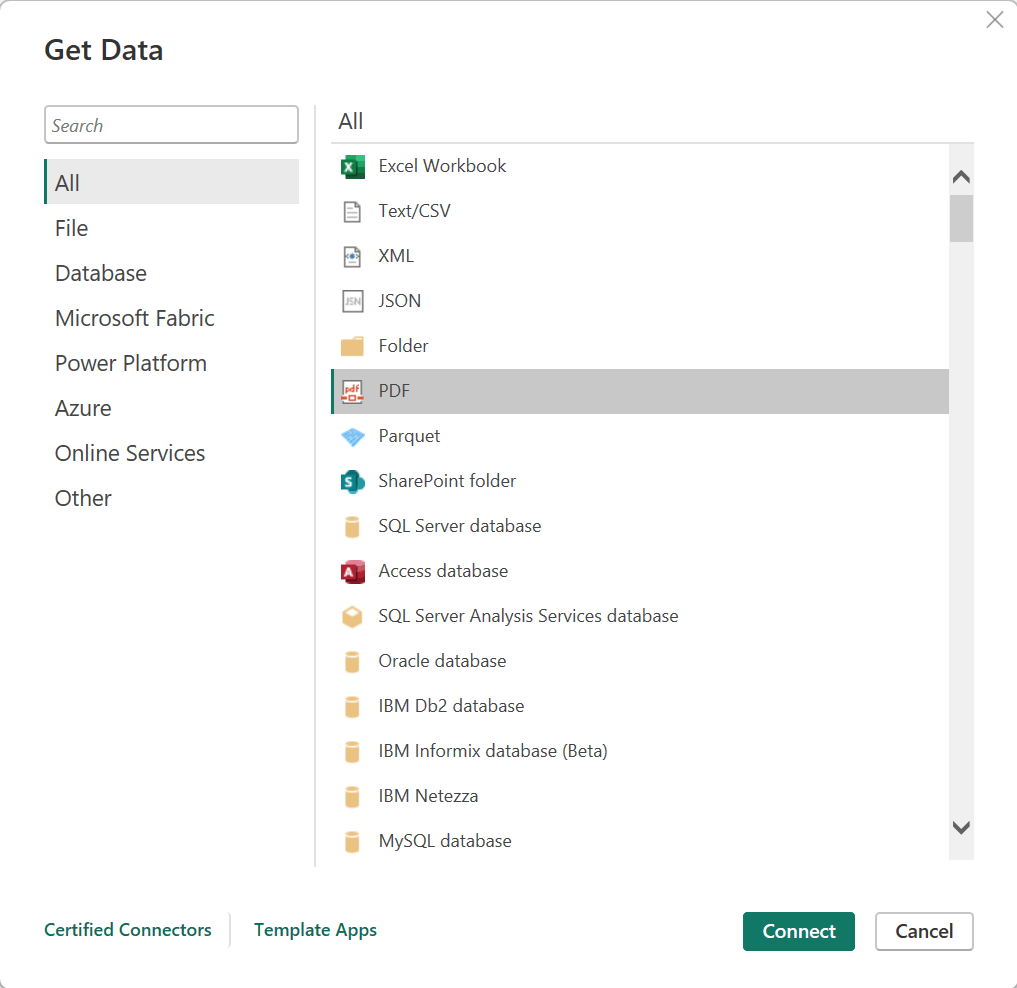
Now, there are actually a bunch of data source choices listed here. The easy options are Excel, Text/CSV, XML, and JSON, but Power Query supports plenty others. Nonetheless, staying focused, scroll down a bit and select “PDF”, then select Connect and select a PDF file from the dialog window:
After choosing a PDF, Power Query opens the Navigator pane, which lists every table found in the file. Depending on the file, there could be more than a few tables listed.
Note, each table name is paired with a page number, making it easier to find the correct table, so select a table or two and preview their data to confirm the source table. If Power Query did a good enough job and nothing needs to be tweaked, then select Load. Otherwise, select Transform data and clean the data as with any other data source:

Conclusion:
Select Get data and explore the available data source options listed. Get creative building KPIs and import the necessary data to make better informed business decisions.
“Jails and prisons are designed to break human beings, to convert the population into specimens in a zoo — obedient to our keepers, but dangerous to each other.”
Angela Davis
#BlackLivesMatter
 console.log('Charles');