Power Automate cloud flows are environment specific when they’re created. Power Platform application lifecycle management controls the management of cloud flows as solution assets, and proper management guides the deployment and maintenance of these solutions. Whether the solutions are managed or unmanaged, flows are deployed from one environment to another. Typically, makers create and test their flows in a development (DEV) environment before pushing their completed work to the quality assurance testing (QAT) environment. If they get the thumbs up and everything checks out, then they’ll work to deploy these approved assets to a production (PROD) environment, for the general audience.
Deploying cloud flows as assets between environments as solutions is good practice. This helps to ensure things are properly tested and changes aren’t pushed to PROD until they’re signed off. However, one thing that makers often forget to do is turn off their flows in DEV and QAT. Once the solution assets are pushed to PROD, especially if no additional changes are being requested at the moment, it’s okay to turn off these DEV and QAT flows:
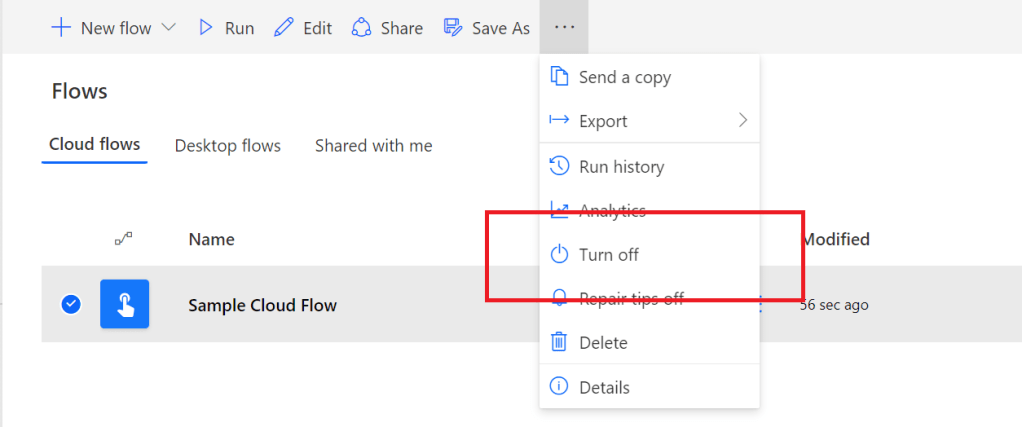
Okay, why should makers turn off their flows in DEV and QAT after a successful deployment to PROD? Well, resources are still being allocated to those flows as long as they’re active. Microsoft will actually disable unused flows after some time to recover allocated resources, but makers can choose to be proactive.
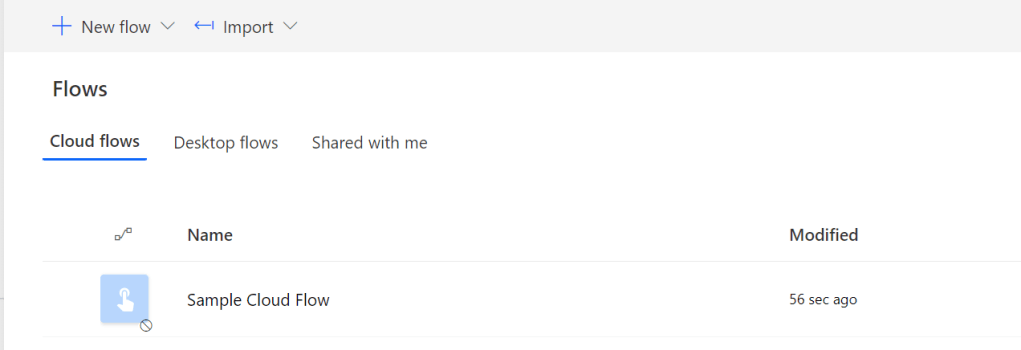
Additionally, every flow execution counts against the run allowance for the associated account. Why use flows unnecessarily? The flows aren’t deleted, they’re simply disabled and put to sleep. They can always be turned back on later:
Conclusion:
Disabling cloud flows is just a suggestion, not a mandate, not a rule. Though, being proactive doesn’t hurt. Free up some resources, save on flow executions, and benefit from having a healthier Power Platform environment.
“The civil rights movement didn’t begin in Montgomery and it didn’t end in the 1960s. It continues on to this very minute.”
Julian Bond
#BlackLivesMatter
 console.log('Charles');
Pingback: Power Platform: Application Lifecycle Management | Housekeeping | console.log('Charles');