SharePoint access issues are sometimes tricky. Simplifying things though, access issues ultimately fall into two categories: authentication or authorization.
Authentication asks a very simple question. Are they permitted/ allowed to access the content? If yes, then they can open SharePoint. Otherwise, they get an access denied screen.
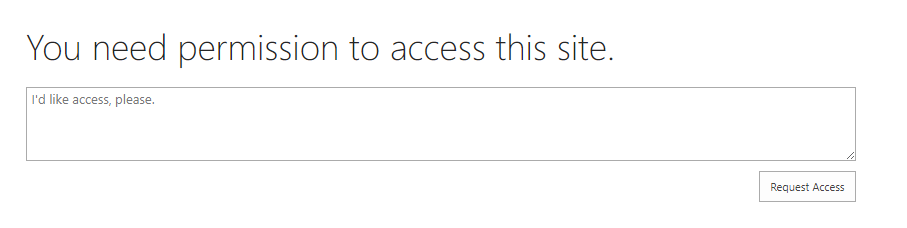
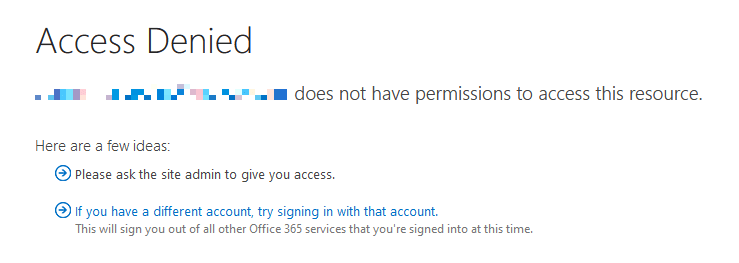
Authorization asks the other simple question. What actions are they permitted/ allowed to do? At minimum, authenticated people can view the content, but can they modify? Can they delete? Can they create?

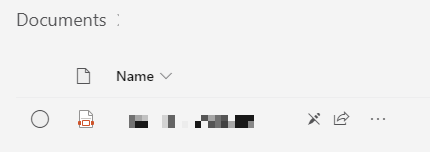
An example of authorization is being able to read a PDF, but not modify, indicated by a pencil icon with a line through it.
Conclusion:
If someone is authenticated, then they’re allowed to access resources. If someone is authorized, then they’re allowed to perform actions.
“Of all forms of slavery there is none that is so harmful and degrading as that form of slavery which tempts one human being to hate another by reason of his race or color. One man cannot hold another man down in the ditch without remaining down in the ditch with him.”
Booker T. Washington
#BlackLivesMatter
 console.log('Charles');