For those new to working with Date and time values in computing, just note that they are measured and calculated using “the number of ticks that have elapsed since the beginning of the twenty-first century.” Essentially dates and times are just large, whole numbers. And Power Automate has several available expressions to work with these numerical values:

“A single tick represents one hundred nanoseconds or one ten-millionth of a second.”
Microsoft
Kicking things off, the utcNow() expression returns the date and time value at the moment of execution. To get the number of ticks() of this datetime value, pass in the utcNow() expression as a parameter:
ticks(
  utcNow()
)
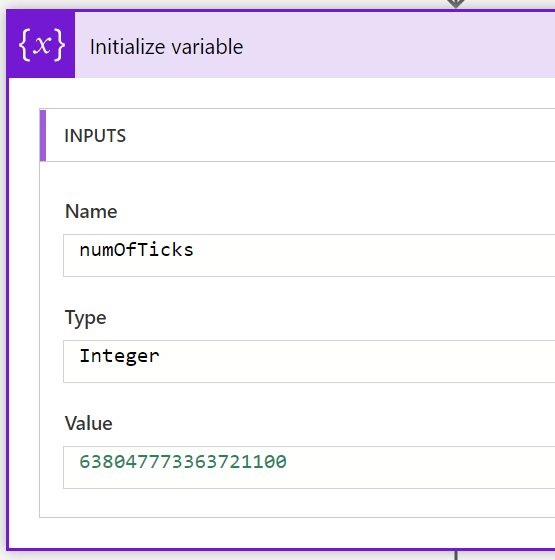
Building on the above step, flow makers can pass ticks() expression results into other arithmetic expressions and calculate the number of ticks() in a second, minute, hour, day, week, month, etc.:
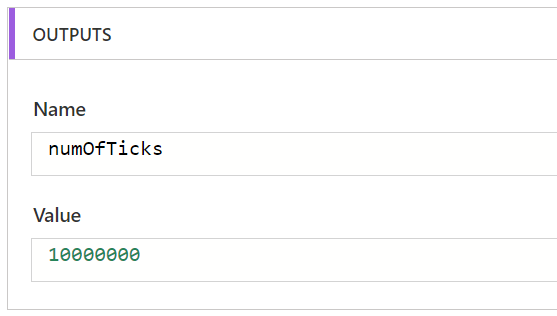
Examples:
E.g., ticks() in a Second:
> 10,000.000
sub(
  ticks(
    addSeconds(utcNow(), 1)),
  ticks(utcNow())
)
E.g., ticks() in a Minute:
> 600,000,000
sub(
  ticks(
    addMinutes(utcNow(), 1)),
  ticks(utcNow())
)
E.g., ticks() in an Hour:
> 36,000,000,000
sub(
  ticks(
    addHours(utcNow(), 1)),
  ticks(utcNow())
)
E.g., ticks() in a Day:
> 864,000,000,000
sub(
  ticks(
    addDays(utcNow(), 1)),
  ticks(utcNow())
)
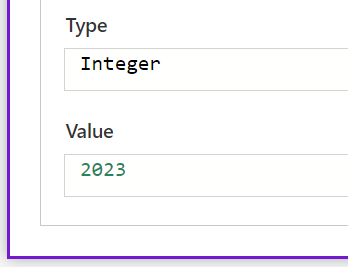
As a bonus, knowing the number of ticks in a day, flows can calculate the current year using nested div() and mul() expressions:
div(
  variables('numOfTicksToday'),
  mul(365, variables('numOfTicksInDay'))
)
Conclusion:
Understanding ticks() is useful. Maybe not necessary, but useful. With this general understanding, flow makers can build their own Date and time logic and level up their flows as they nest expressions in more creative ways…
“Defining myself, as opposed to being defined by others, is one of the most difficult challenges I face.”
Carol Moseley-Braun
#BlackLivesMatter
 console.log('Charles');