Power Apps aren’t natively built for iOS or Android. Rather, these business apps are created and deployed a bit differently. And being deployed differently, organizations have more decisions to make with regards to app security. Power Apps security can be managed and granted at three layers: environment, app, and data.
- Power Platform Environment
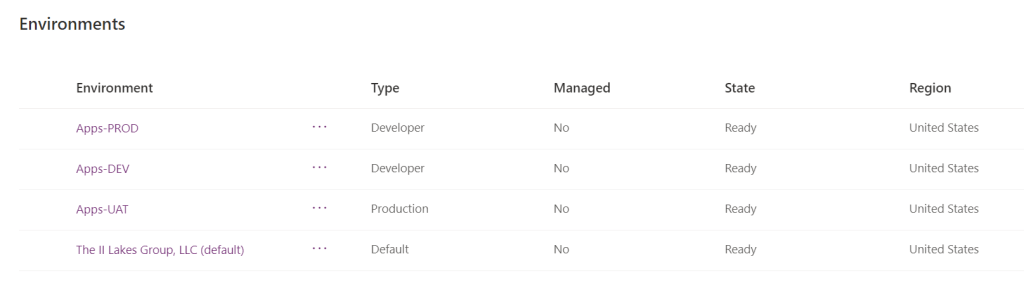
An environment is a dedicated “space to store, manage, and share … business data, apps, … and flows.” Every licensed organization has a default environment, but Power Platform admins can create additional environments when necessary. Imagine having a large storage unit for furniture. If the clothes shouldn’t be stored with the furniture, then get another storage unit. And another unit for tools if necessary. Likewise, environments are great for grouping similar projects.
Also worth noting, every licensed user of the organization has access to the default environment. Access to these additional environments can be restricted though. For any business apps in these other environments, users will need to be granted access the space, which is one piece of managing access:
- Business App
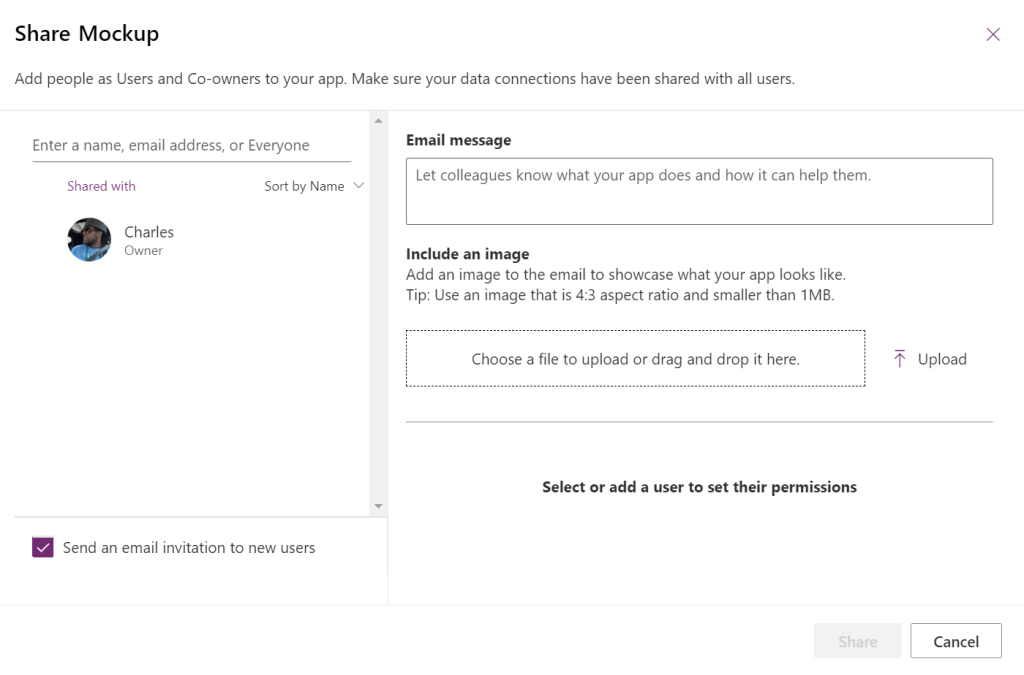
Now, assuming users are permissioned to access the environment, they also need to be permissioned to use the app. Being a part of the environment is just one security layer. Next, they need to be listed as an app “User”.
Either share the app directly with users or use security groups:
- Data Source
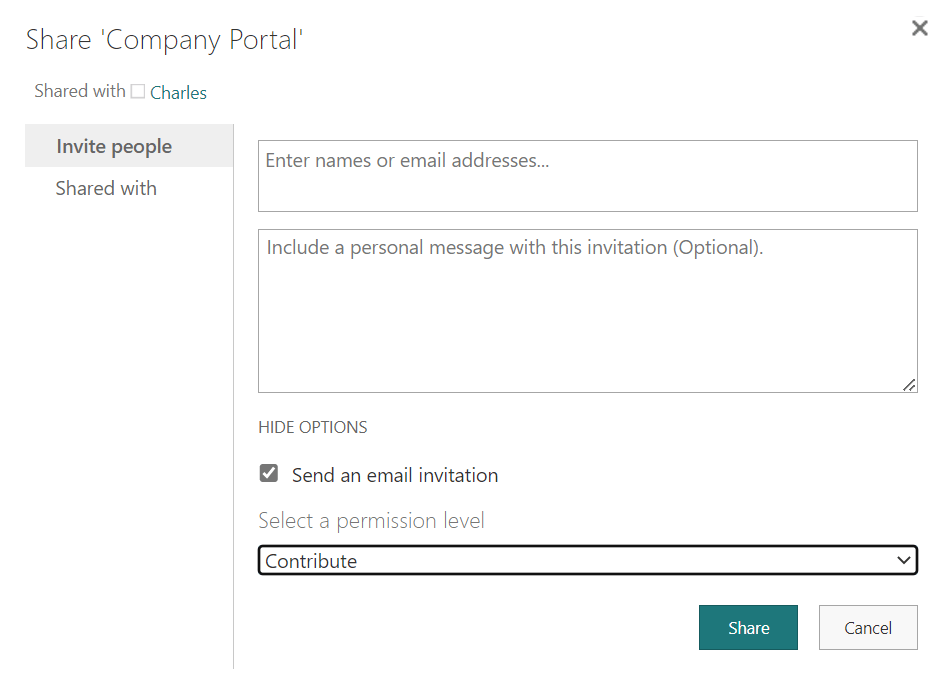
Access to the environment? Check! Access to use the app? Check! Lastly, unless the data is accessed using a service account, these users will also need access granted to the data source.
E.g., If the data source is SharePoint Online, some app users may need “Read” access while other need “Modify”.
Conclusion:
Power Apps are “low-code”, but they facilitate granular security. Admins can create more environments as necessary, and partition them by tier, department, line of business, etc. As these environments are partitioned, security is layered and managed per environment, app, and data sources.
“Every man is our brother, and every man’s burden is our own. Where poverty exists, all are poorer. Where hate flourishes, all are corrupted. Where injustice reins, all are unequal.”
Whitney M. Young
#BlackLivesMatter
 console.log('Charles');