Power App canvas apps aren’t built like native mobile apps. Even so, these business apps can still be built to follow some common software engineering best practices. Likely one of the more popular development practices is reusability. Where possible, build with modularization in mind. Applying this approach to canvas apps, app makers can create consistent app experiences, regardless of the number of app screens, more easily by using components.
“Components are reusable building blocks for canvas apps so that app makers can create custom controls to use inside an app, or across apps using a component library.“
– Microsoft
These reusable blocks are listed under the canvas app Tree view and canvas apps can have several Components. These components can be created from scratch, like building a menu for a multi-screen app, or even imported from other component libraries. Once the component is available, it can be added to as many app screens as necessary, to provide a consistent look and feel:
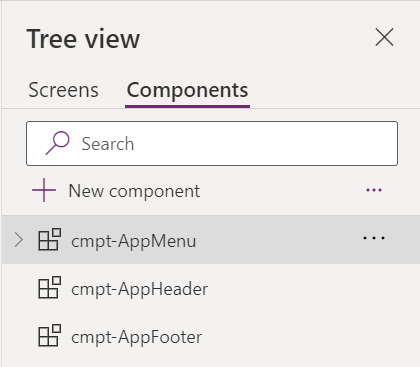
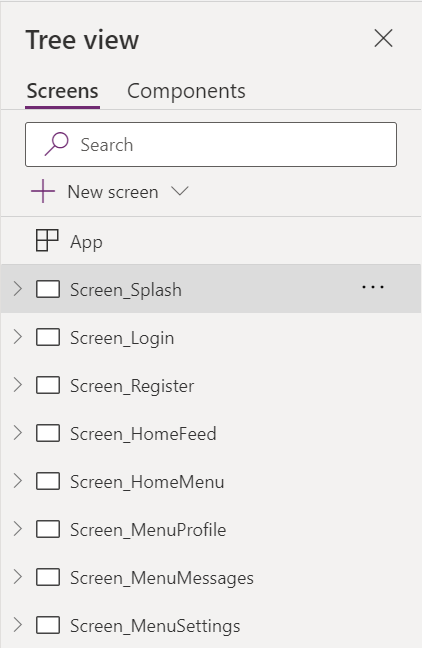
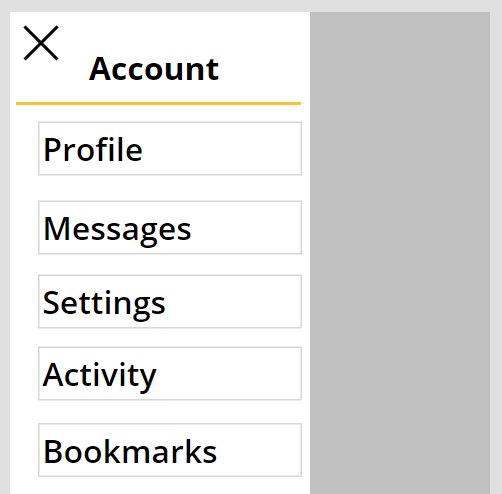
For instance, the menu component can be added to all of the pages, excluding the splash screen. This ensures the menu options, spacing, font, etc. are consistent across all of the app screens:
Conclusion:
Components help reduce duplicate work. Once created, they can live solely within the canvas app solution, or be exported for use within other canvas apps…
“Individuals do not create rebellions; conditions do.”
Hubert Gerold Brown
#BlackLivesMatter
 console.log('Charles');