Microsoft is encouraging organizations to embrace Modern SharePoint. With this nudging, creating sub-sites is still supported, but largely frowned upon. Though Classic SharePoint welcomes sub-sites. Modern SharePoint, not so much. Instead, Microsoft now recommends creating all sites as their own site collection, then associating sites using hub linkage…
To better conceptualize the hub idea, consider a technology company whose Sales team was originally a part of the Information Technology department:
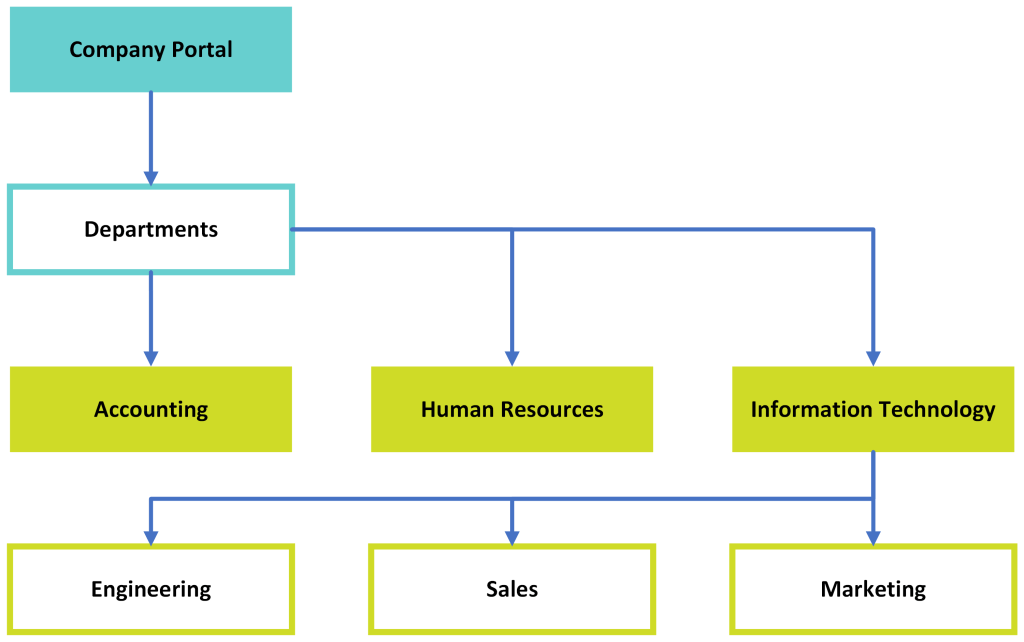
Using the sub-site approach, their company Portal would be created as a site collection:
https://contoso.sharepoint.com/sites/Portal
Then, under the Portal collection, Departments would be created as a sub-site:
/sites/Portal/Deptartments
Then, under the Departments site, Information Technology would be created as a sub-site:
/sites/Portal/Departments/InformationTechnology
And lastly, because the Sales team needed their own collaboration space, separate from Marketing and Engineering, there would be yet another sub-site:
/sites/Portal/Department/InformationTechnology/Sales
Glancing at the relative path of the Sales team site, notice that they’re three-levels nested within the Portal site collection. Initial problem? SharePoint has a character limit for site URLs. And being so deeply nested, too many characters are lost to the site path before they even get a chance to create files and folders.
Next problem? If there is any company restructuring and the Sales team becomes its own department, then it needs to be moved from Information Technology to Departments. Depending on the site size, moving it could easily become a pain. More than likely, this move will need to be scheduled and staffed as a migration project. Coordinating the migration, site permissions, custom solutions, site features, navigation, etc. needs to all be audited. Custom solutions could break, contingent on their site dependencies. Also, absolute and relative links to documents will break. Additionally, it gets tricky moving content when considering how many people are probably using bookmarks and shortcuts. So many moving pieces…
Conversely, with the modern approach, Departments doesn’t need to be created as a sub-site. Instead, just create the company Portal as a site collection, then create each department as their own site collections:
/sites/Portal
/sites/Engineering
/sites/Sales
/sites/Marketing
With the hub approach, each department site becomes a moveable block linked to Portal site. However, before the Portal collection can be used as a hub, it has to be registered as one:
Register-SPOHubSite `
    -Site https://contoso.sharepoint.com/sites/Portal `
    -Principals $null
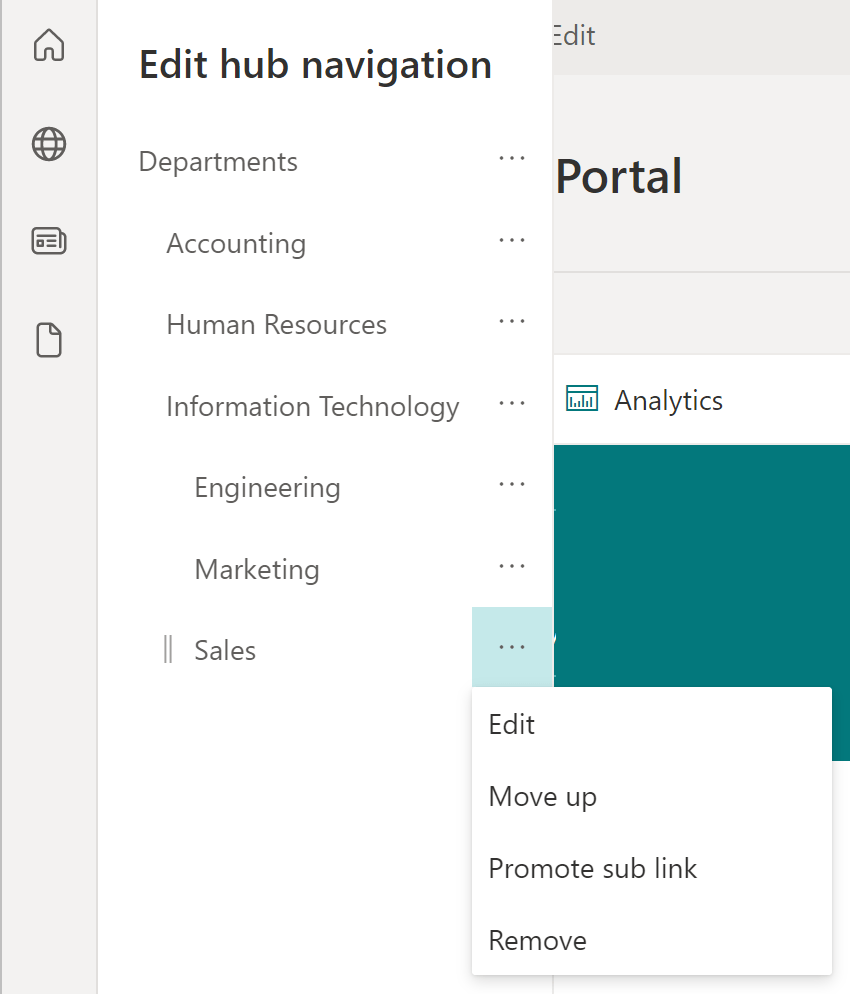
Now, build the hub site navigation and tweak as needed. Sites don’t need to actually move anywhere anymore. Rather, links are adjusted within the hub navigation and changes are reflected immediately to all linked/ connected site collections.
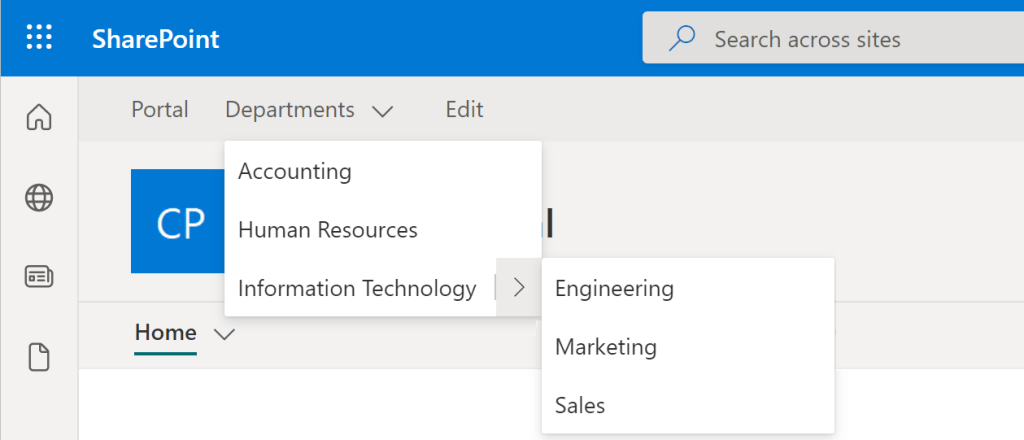
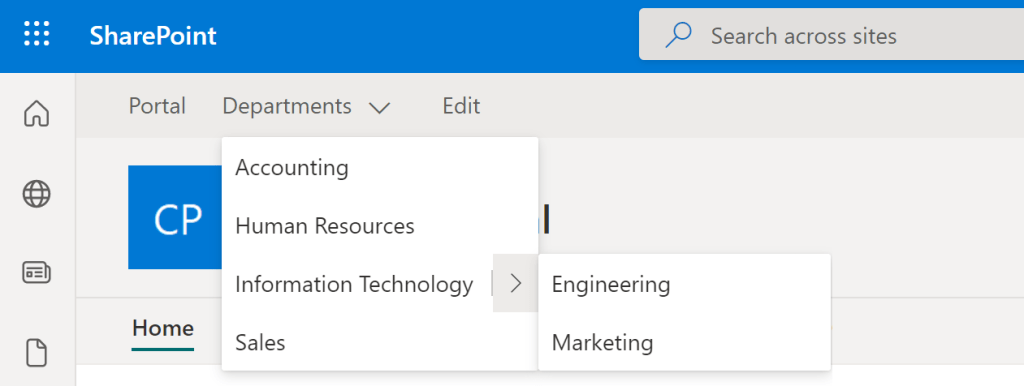
Another difference in this approach, Departments and Information Technology are created as navigation labels, not sites. And Sales is presented as its own department site with one click. No scheduled migrations, no broken links, and no parent-site dependencies, just Promote sub link:
Conclusion:
Sub-sites can be migrated, but migrations are tedious. Updating navigation links is less tedious and much less annoying as a migration…
“If you are neutral in situations of injustice, you have chosen the side of the oppressor. If an elephant has its foot on the tail of a mouse and you say that you are neutral, the mouse will not appreciate your neutrality.”
Desmond Mpilo Tutu CH
#BlackLivesMatter
 console.log('Charles');