Second entry of this series, a rough mock-up for another Power App. The first recreation was an Intagram-esque app created using two galleries. Likely an oversimplification, but Netflix is also two galleries at its core; although the galleries are used differently. For this Power App, the horizontal gallery is nested within the vertical gallery:

Using Excel as a data source again, create two tables with some very basic columns…
- Data Source #1: Table with a list of category groups.
- Data Source #2: Table with a list of shows associated w/ category groups.
- E.g., Group; Title; Genre; Synopsis; Image.
The categories of Data Source #1 are later used to filter the shows of Data Source #2.
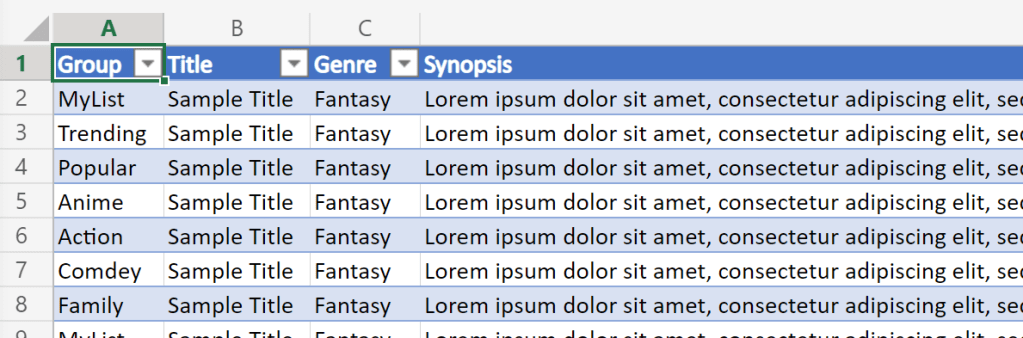
Moving on, Data Source #1 is bound to the vertical gallery. The category group titles become section headers for the horizontal galleries. Next, Data Source #2 is bound to the horizontal gallery:

For some realism, the data sources could be refreshed with some real titles. Though things look even better once the canvas elements are sized and spaced, and the background color tweaked:

Checking in, the mockup is coming together:
- Galleries added to the canvas.
- Galleries bound to Excel data sources.
- Canvas elements sized and colors applied.
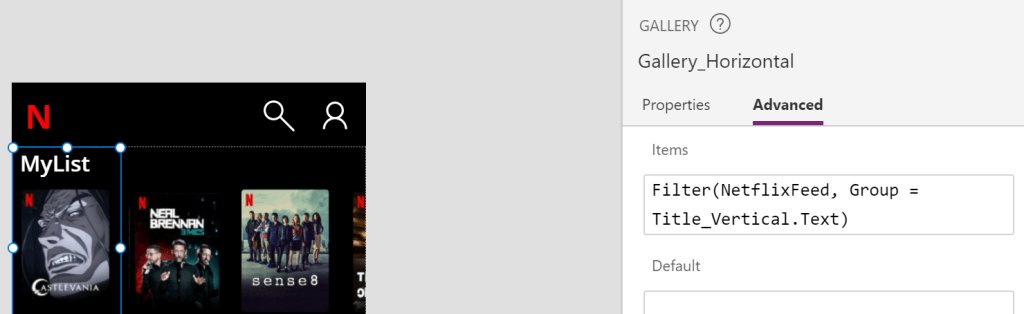
Unfortunately, every category is currently listing every show. To fix this, filter the dataset’s show group title against the group category header:
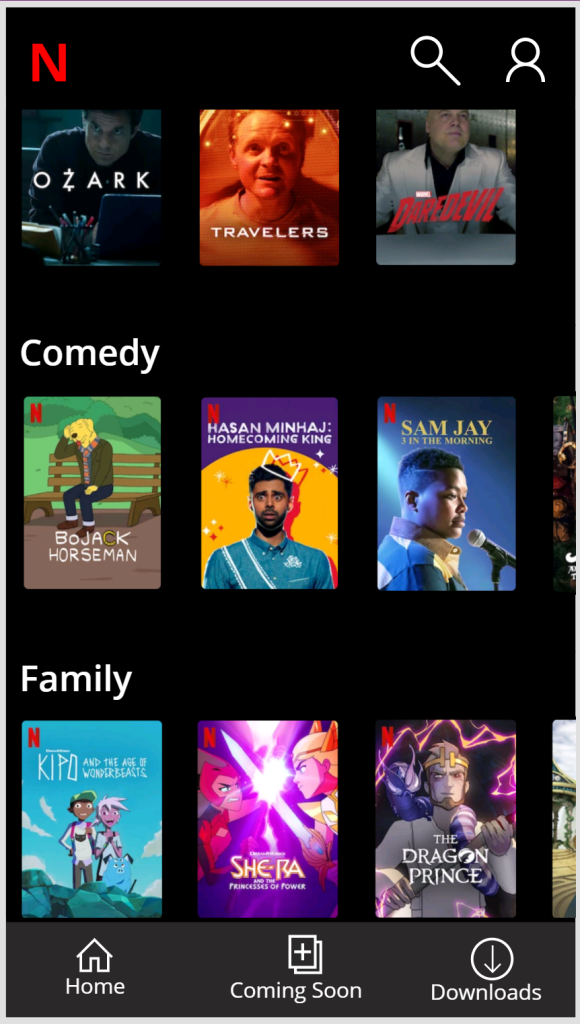
Wrapping things up, add a rectangle to the bottom of the app for the footer menu. Then build out the footer with labels and icons, and configure the element colors:

Finalmente, save the changes and run the app!
Conclusion:
Taking things a bit further, galleries can be nested within one another. And once nested, these galleries can be filtered.
“One person plus one typewriter constitutes a movement.”
Reverend Dr. Anna Pauline “Pauli” Murray
#BlackLivesMatter
 console.log('Charles');
Pingback: Power Apps: Recreating… Office App | console.log('Charles');
Pingback: Power Apps: Recreating… Twitter | console.log('Charles');
So simple. So brilliant.
Thank you.
Clinton
Fintastic Data
LikeLiked by 1 person