Microsoft Graph is a RESTful web API. With these APIs, I can access many of the Microsoft 365 resources. But for now, I need to query the contents of a folder with a special character in the name. Why is this an issue? Document management systems like [SharePoint Online] will often support special characters that aren’t supported by the Graph API…
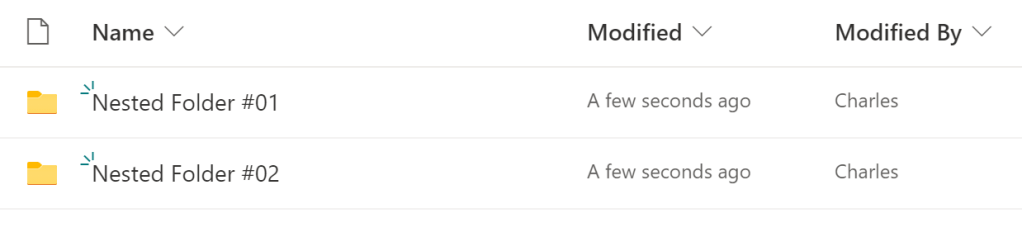
- E.g., SPO library w/ special character (#) folder names.
- E.g., PowerShell snippet to return target site ID.
$relPath = "/sites/Portal"
$api = "/sites/contoso.sharepoint.com:$($relPath)"

Get-GraphAPIResponse `
               -GraphAPIMethod "GET" `
               -GraphAPIEndPoint "https://graph.microsoft.com/v1.0" `
               -GraphAPIRequest "$api"
- E.g., PowerShell snippet to return target library ID.
$siteID = "contoso.sharepoint.com,xxxxxxxx-xxxx-xxxxxxxx-xxxxxxxx,yyyyyyyy-yyyy-yyyy-yyyyyyyyy"
$api = "/sites/$(siteID)/drives/"

Get-GraphAPIResponse `
               -GraphAPIMethod "GET" `
               -GraphAPIEndPoint "https://graph.microsoft.com/v1.0" `
               -GraphAPIRequest "$api"
- E.g., PowerShell snippet to return target library folders.
$siteID = "contoso.sharepoint.com,xxxxxxxx-xxxx-xxxxxxxx-xxxxxxxx,yyyyyyyy-yyyy-yyyy-yyyyyyyy"
$librID = "b!mpJrB6zzzEmWWJyXluNiPK6vgH720BlAh_R3O5_hE4H0-fEDWHMKQ6oR_pSl_t)w"
$api = "/sites/$(siteID)/drives/$($librID)/root/children?$select=name,webUrl"

Get-GraphAPIResponse `
               -GraphAPIMethod "GET" `
               -GraphAPIEndPoint "https://graph.microsoft.com/v1.0" `
               -GraphAPIRequest "$api"
- E.g., Graph API response using the Microsoft Graph Explorer.

The above request returned the folder name and webUrl. Because some special characters are allowed, the folder name displayed the characters as expected. However, the webUrl encoded these characters. In this instance, blank spaces become %20 and # becomes %23…
- E.g., PowerShell snippet to return target folder files.
$folderPath = "Nested Folder #01"
$api = "/sites/$(siteID)/drives/$(librID)/root:/$(folderPath):/children?$select=name,webUrl

Get-GraphAPIResponse `
               -GraphAPIMethod "GET" `
               -GraphAPIEndPoint "https://graph.microsoft.com/v1.0" `
               -GraphAPIRequest "$api"
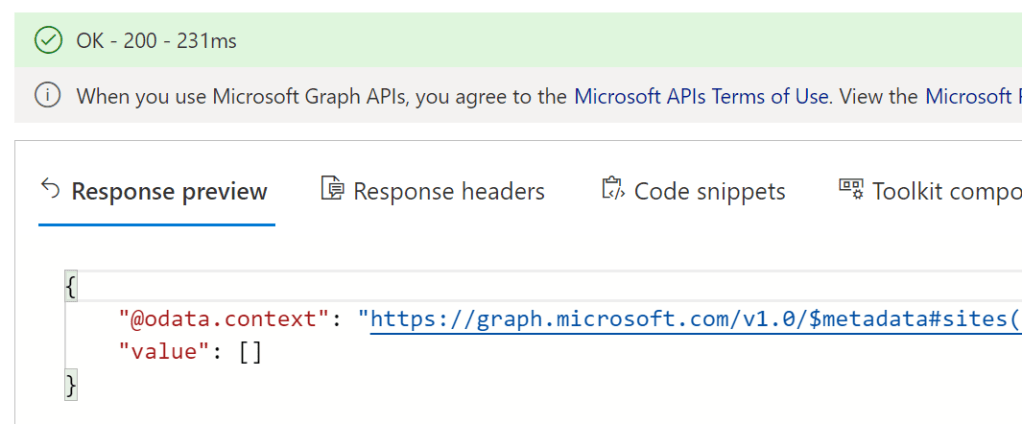
- E.g., Graph API response fails if special character # is not encoded.

Though, if the character is encoded, then the API request succeeds…
- E.g., PowerShell snippet to return target folder files.
$folderPath = "Nested Folder %2301"
$api = "/$(siteID)/drives/$(librID)/root:/$(folderPath):/children?$select=name,webUrl

Get-GraphAPIResponse `
               -GraphAPIMethod "GET" `
               -GraphAPIEndPoint "https://graph.microsoft.com/v1.0" `
               -GraphAPIRequest "$api"
- E.g., Graph API response succeeds if special character # is encoded.
Conclusion:
The encoded webUrl hinted to how the special characters should be handled. If the API request fails, then ensure that the special characters are encoded…
“To abandon affirmative action is to say there is nothing more to be done about discrimination.”
Coretta Scott King
#blacklivesmatter
 console.log('Charles');