[SharePoint Online] has a number of features and functionalities. Among these, there is robust support for metadata. But why support metadata? Because metadata helps flatten files, index content, and improve search results. And with this robust support, metadata can be created at several different levels. One way to visualize these scopes…
- Local
- Regional
- National
- Global
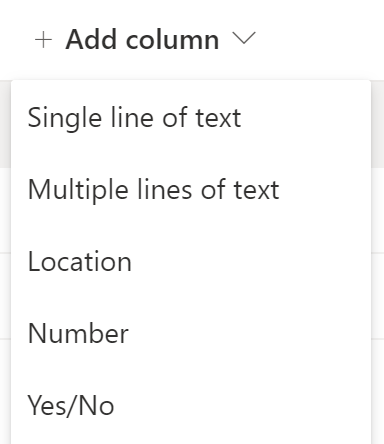
Local:
This metadata is single-use. Created and applied directly to the SPO list, local metadata is exclusive to it’s parent list. Mirroring a small town, these resources are only accessible within it’s borders:
Pro: Metadata is easy to create and configure; ad-hoc.
Con: Metadata is ONLY usable by a single list and no others.
- E.g., creating list columns.
Regional:
Moving up the ladder, this metadata is reusable within the site. Encouraging flat site hierarchy, Microsoft discourages the creation of child-sites. Still, this site-level metadata is available to all of the site’s lists. This is akin to cities sharing their resources within a state.
Pro: Metadata is reusable and available to all lists of the site.
Con: Metadata is ONLY reusable and available to lists of the parent site, NOT other sites.
- E.g., creating site columns.
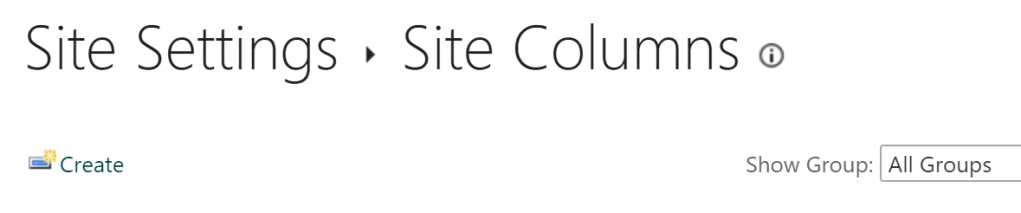
https://contoso.sharepoint.com/depts/_layouts/15/mngfield.aspx
National:
Next up, more reusable metadata, but created at the site collection level. Identical to regional metadata, these columns are available to all site lists. But this metadata is also available to all lists of any site of the collection. This is comparable to resources being shared between states of the same country.
Pro: Metadata is reusable and available to all lists of all sites of the site collection.
Con: Metadata is ONLY reusable and available to lists of sites of the parent site collection, but NOT lists of sites of other site collections.
- E.g., create site collection columns.
https://contoso.sharepoint.com/_layouts/15/mngfield.aspx
Global:
Lastly, there is global metadata. As the name implies, this metadata is available everywhere. This means every list of every site of the tenant. This metadata crosses all borders and it doesn’t matter where it is needed. Bonus, this can be created one of two ways:
ContentType Hub
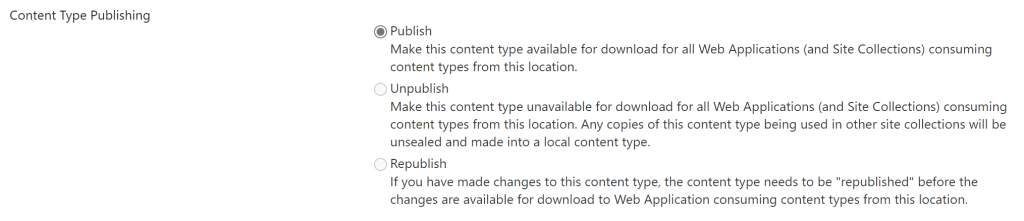
The hub works as a centralized site to create and publish content types. Once published, these content types are available tenant-wide. Essentially, these metadata columns become available to all sites…
- E.g., publishing content type.
NOTE:
Content types published from the hub are not immediately available. It will take time for changes to replicate throughout the tenant.
https://contoso.sharepoint.com/sites/contentTypeHub/
Managed Metadata a.k.a. Term Store
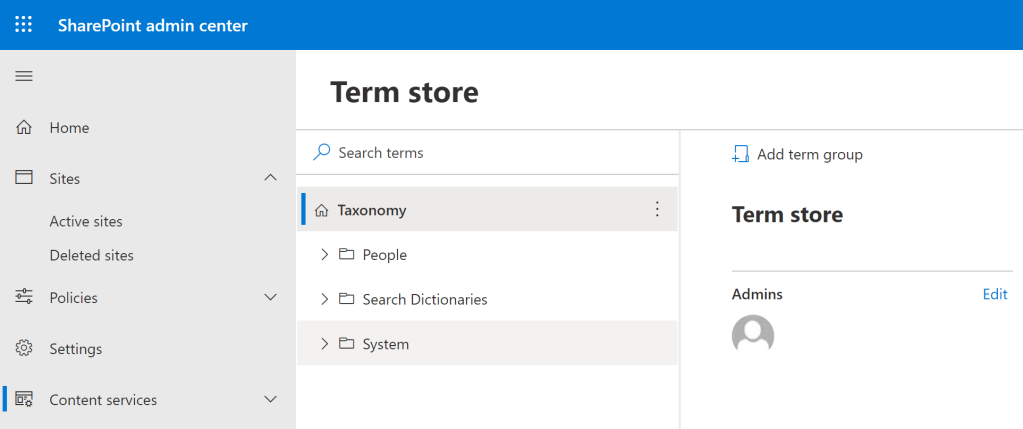
From the SharePoint admin center, create a structured taxonomy of metadata. Just as with the content type hub, content published here is soon surfaced for use in all lists of all tenant sites.
- E.g., publishing tenant taxonomy.
Conclusion:
Metadata is here to help, but create with intention. Determine the metadata scope and build out the columns…
“The cost of liberty is less than the price of repression.”
W. E. B. DU BOIS
#juneteenth
 console.log('Charles');