PowerShell is a scripting language great for task automation. The framework has gone through a number of iterations and Microsoft supports it in Azure. These cloud-hosted scripts are created as Azure Runbooks.
Contrasted against the PowerShell ISE and Visual Studio Code, there are some logging differences with Runbooks. Locally run scripts typically write their logs to text files, or export their Write-Host messages using the start/ stop-transcript functions. The latter creates “a record of all or part of a PowerShell session”. But Runbook scripts will have their actions logged using the Write-Output function.
Scripting something in the ISE, one could color-code their messages. Though the transaction log doesn’t care about colors, this is helpful in the console pane:
- E.g., sample local script.
Write-Host -F White "Hello, world..."
Write-Host -F Yellow "Warning Msg..."
Write-Host -F Red "Error Msg...`n`n`n"
- E.g., sample local script output.

Azure also doesn’t care about the colors, but messages could be differentiated using different write functions:
- E.g., sample Runbook script.
Write-Output "Hello, world..."
Write-Warning "Warning Msg..."
Write-Error "Error Msg...`n`n`n"
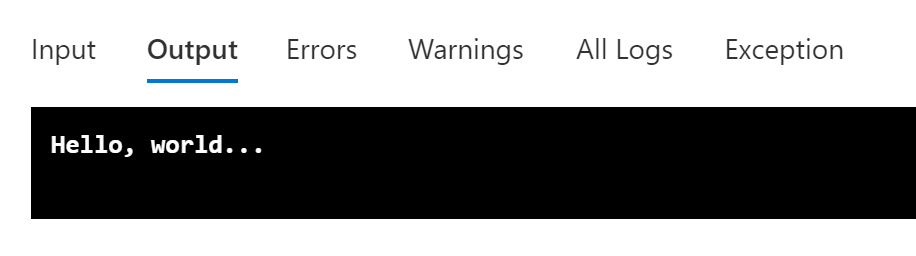
- E.g., sample Runbook script Output.
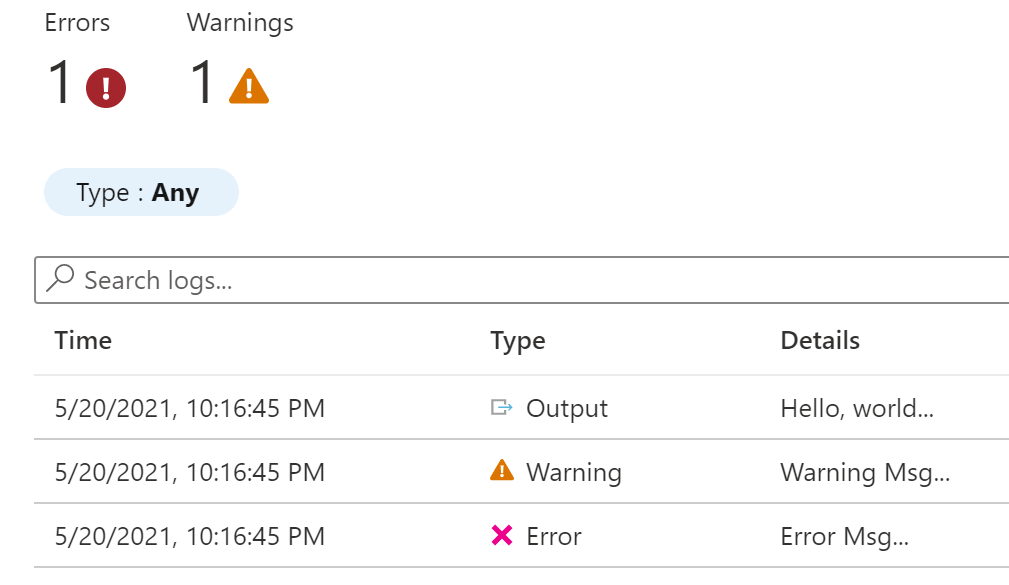
- E.g., sample Runbook script All Logs.
Conclusion:
Logging is easier with Azure Runbooks than local scripts…
“Continue to speak out against all forms of injustice to yourselves and others, and you will set a mighty example for your children and for future generations.”
Bernice King
#blacklivesmatter
 console.log('Charles');