Power BI Desktop can connect to a variety of data sources, including [SharePoint Online] lists. The text, date, and numerical columns will map directly, but a Person column will become a Record…
- E.g., list column Approver is a Person.
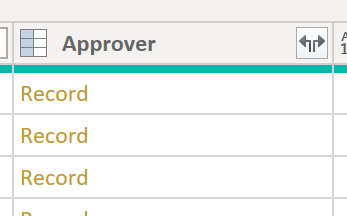
So, what are Records? These are indexed data structures. Similar to hash tables, tuples, and structs, these indexed structures use keys to retrieve values. The values of a Person column will be the user’s properties:
- E.g., drilling down into a Record.
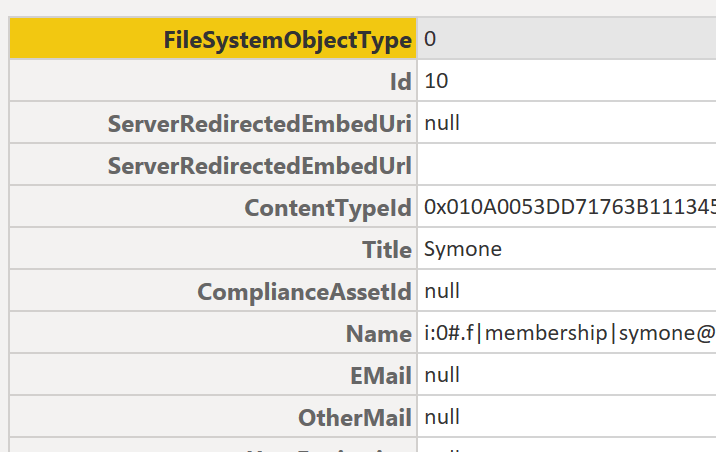
Table fields are a bit different though. Although they are also indexed structures, their data objects are more complex. These tables can index text, dates, numbers, as well as other indexed data objects:
- E.g., user permissions of a list item.
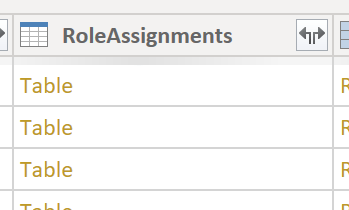
- E.g., drill-down into RoleAssignments column.
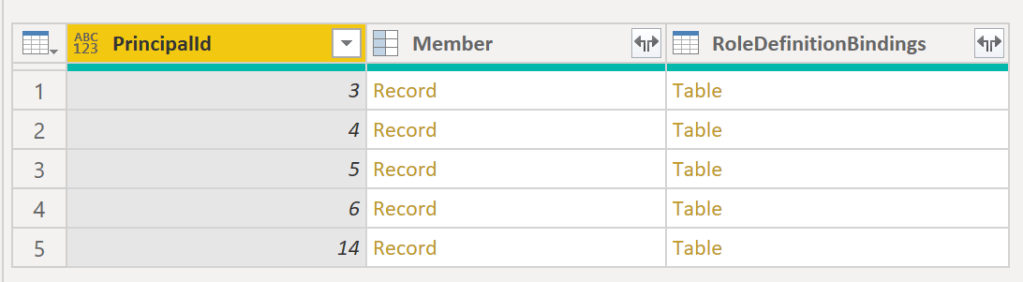
- E.g., drill-down into RoleDefinitionBindings column.

Example:
- a Record could represent a person and
- a Table could represent a course, or event.
E.g., Microsoft Ignite attracts thousands of participants. For each participant, their Record object may include their name, email, company, job title, etc. Additionally, each participant will likely register for several sessions. These sessions, as Table objects, may include a table of participants and presenters, each as a Record. Also the session table would include the session title, topics, time, duration, etc. And all of this could roll-up into a Table representing the entire event.
Conclusion:
Both column types are objects, but one is more complex than the other. There could be several levels of nested content…
“All of the great social justice advances that we ever had in this country have come not from people with big titles and not from people at the top, but just from everyday people getting together saying ‘Enough is enough. I’m going to change this, and I’m going to get involved, and I am going to be engaged.'”
Nina Turner
#blacklivesmatter
 console.log('Charles');