Power Automate is the workflow engine of the Power Platform. Essentially, “Flows” access data via connectors, then perform tasks using actions. Included is a connector for [SharePoint Online] and a few dozen actions. Some actions to highlight:
- Get items
- Update item
SCENARIO
Remote workers are submitting travel requests and corporate has delegated an approver per state. This approver is assigned to the request after submission…
To get started, create a custom list, then populate states and approvers:
- E.g., custom list w/ approver email addresses.

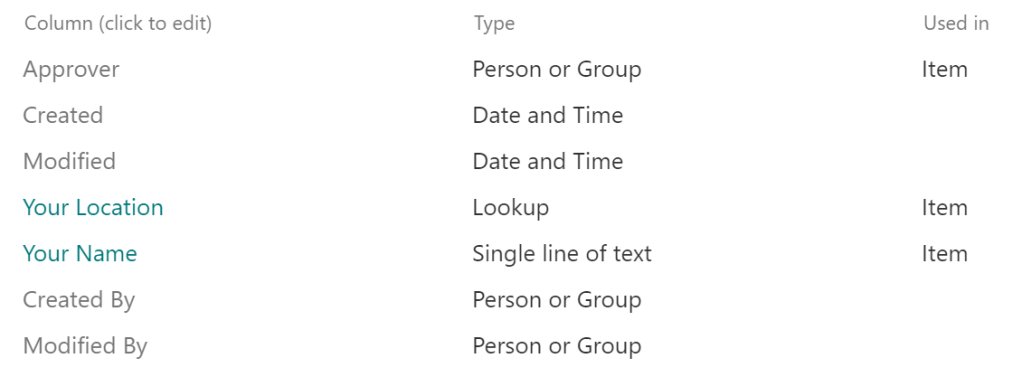
Next, create another custom list. This second list will reference the first list as a lookup:
- E.g., custom list w/
- Your Location as a Lookup column.
- Approver as a Person or Group column.
Finally, build the Power Automate flow logic:
- Trigger – When an item is created.
- Initialize variable – Store Your Location Value as a string.
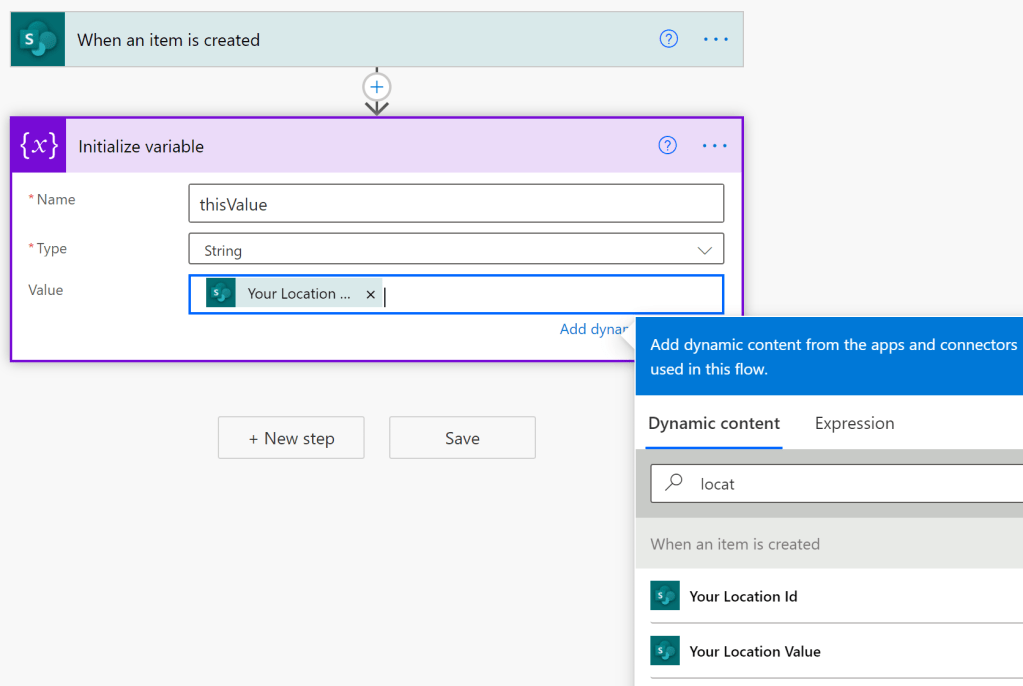
The variable value is used to query the respective approver:
- Get Items – Query and filter the lookup list.
- E.g., Title eq ‘GA’

With the list items queried, iterate the results. Apply to each is basically to a foreach loop:
Recommended:
Initialize and set a variable, tempValue, to store the Current item object value.
Initialize and set a variable, thisApprover, to store the ‘Approver’ object property.
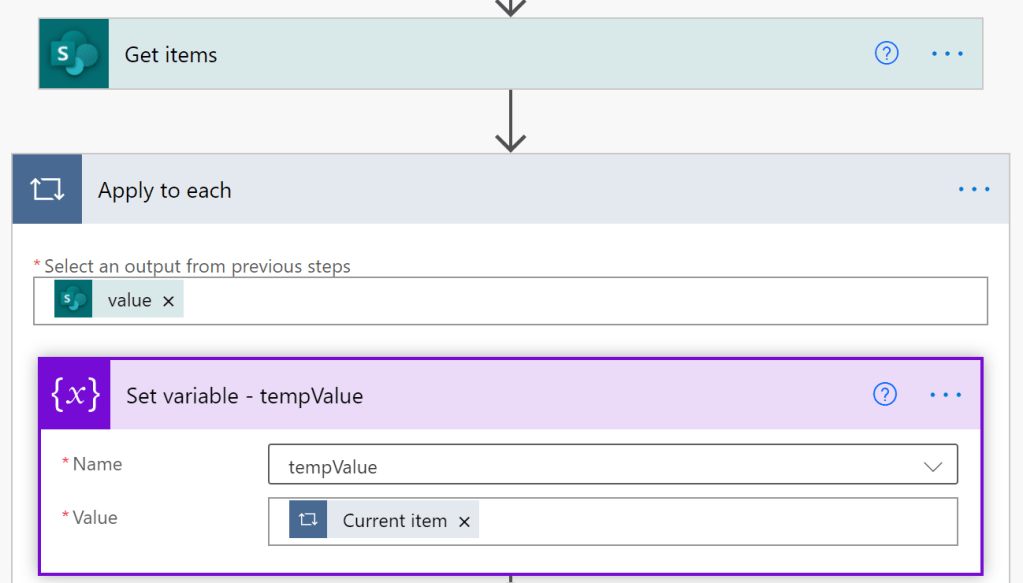
Because the results are filtered, there is only one result. Match found! Now, store the approver’s email address:
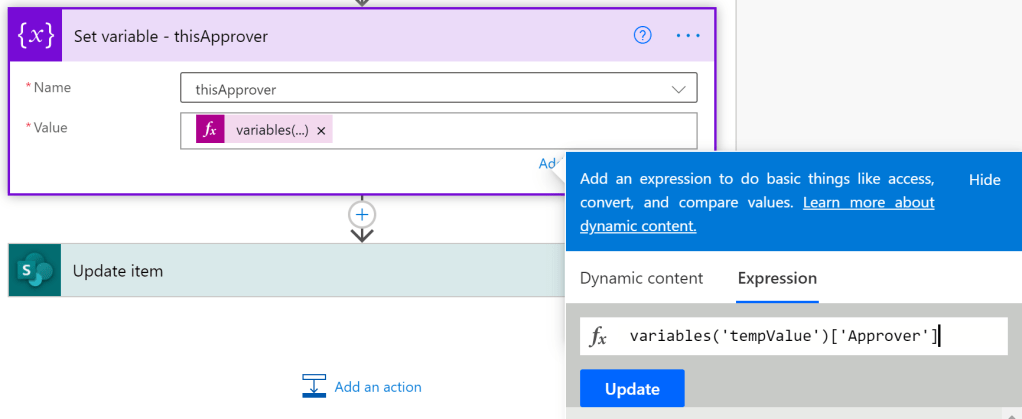
And update the SPO list item with the approver’s claims:
- Update item – Approver Claims w/ thisApprover variable.

Lastly, save the flow and test…
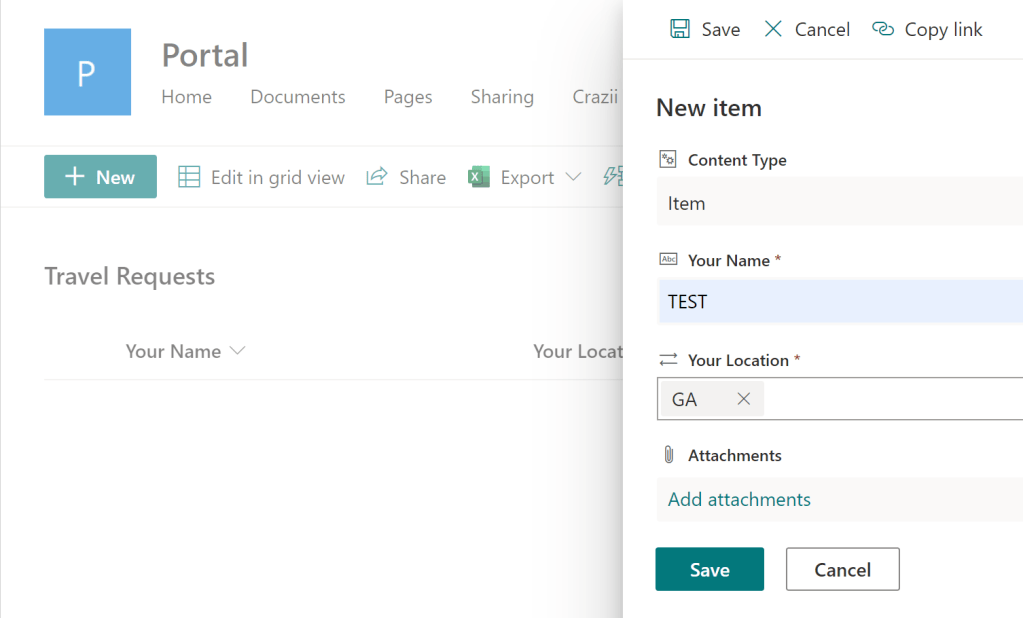
Two lists and a basic flow created. With some additional effort, the flow could be more robust. Maybe email the approver when they’re assigned a request. Maybe post a message to a Teams’ channel. Maybe create reminders if the requests sit for too long. Plenty of room for growth…
Conclusion:
SharePoint Server, people picker fields could be populated after an account was validated against the target site collection. This is easier and less messy with Power Automate and SharePoint Online. Just provide their email address, then Power Automate does the rest…
“Be who you are, do what you do and let us get on with discussing the real issues of this country.”
Maxine Waters
#blacklivesmatter
 console.log('Charles');