There are a LOT of Android and iOS apps. Probably fair to say that they are bountiful. But there is a toolset difference… Android apps are typically built using Java while iOS apps are typically written using Swift (or Objective-C). Because of this, distinct apps need to be created for their respective app stores. Unless the app is written using Xamarin, an app platform for building Android and iOS apps with .NET and C#. Xamarin is…
- Free,
- Cross-platform, and
- Open source!
Assuming the solution has been mocked-up, an important next step is prototyping. And by chance, Power Apps is a helpful Microsoft application for building low-code solutions to test the look, feel, and basic functionality of mobile apps; proof of concept:
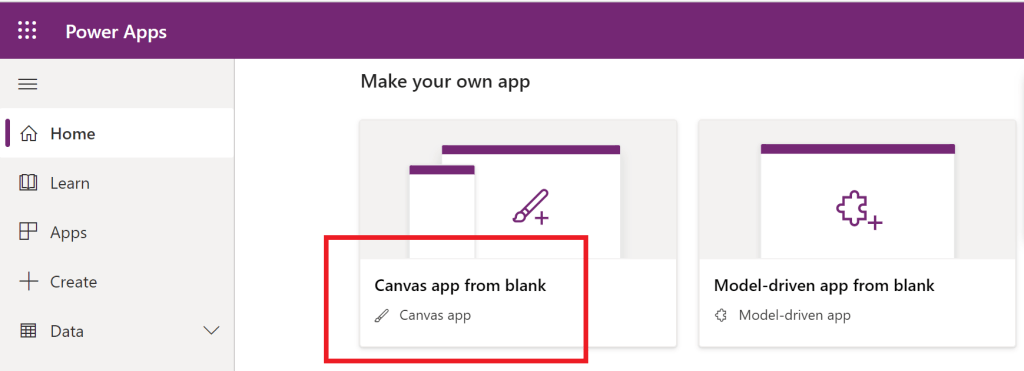
- Open Power Apps and create a blank app.
- Along the Power Apps studio navigation, one could insert Icons to the canvas…

- Or insert New screens.
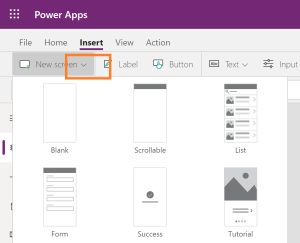
Use functions to navigate between the screens.
E.g., ScreenTransition.CoverRight
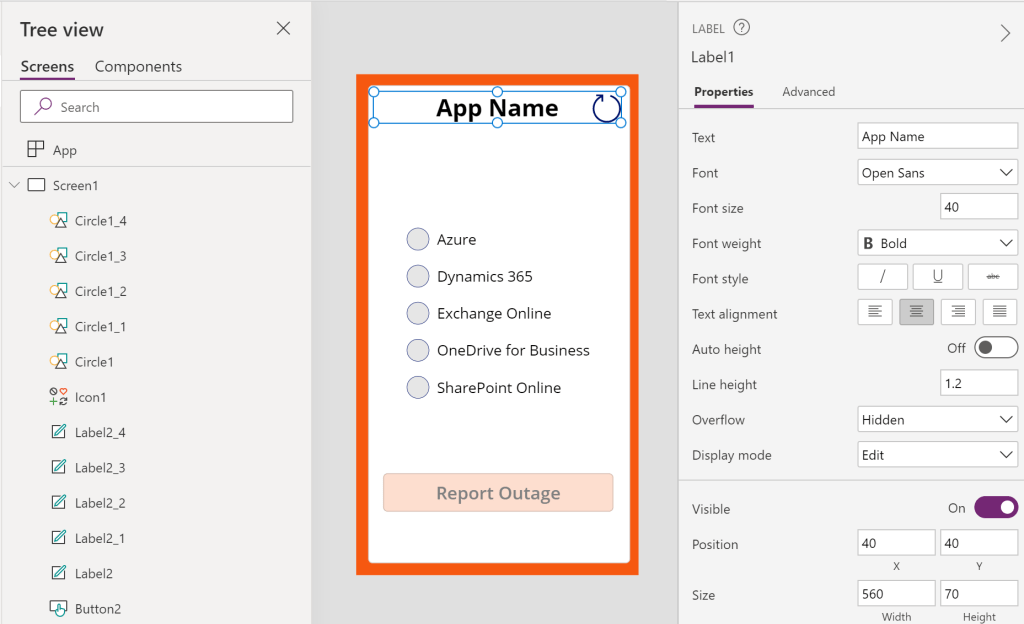
Power Apps is similar to PowerPoint. Elements inserted to the canvas are added to a hierarchy. To layer elements, either send them backward or bring them forward. Newer elements are always closest to the front.
Conclusion:
Don’t skip steps, prototype mobile apps before diving into development. Understandably, not everyone has access to fancy tools. But fear not, Power Apps is inexpensive and makes designing apps relatively easy…
“Our nation has slashed budgets for education, job training, economic development, and drug treatment while investing billions in prisons and militarized police. A penal system unprecedented in world history has been born. Millions have been arrested and stripped of basic civil and human rights.”
Michelle Alexander
#blacklivesmatter
 console.log('Charles');