Android and iOS apps are bountiful, but there’s a toolset difference… Android apps are typically built using Java while iOS apps are typically written using Swift (or Objective-C). Because of this, two apps often have to be written for an app to be available in both app stores. Unless the app is written using Xamarin, an app platform for building Android and iOS apps with .NET and C#. Xamarin is…
- Free,
- Cross-platform, and
- Open source!
But as great as that sounds, an important step of any app development is mock-up. Not everyone is an artist and not everyone is proficient with Photoshop. Another option, design the app screens in PowerPoint. To get started, open PowerPoint:
- Click Design in the ribbon.
- Click Slide Size.
- Click Custom Slide Size.
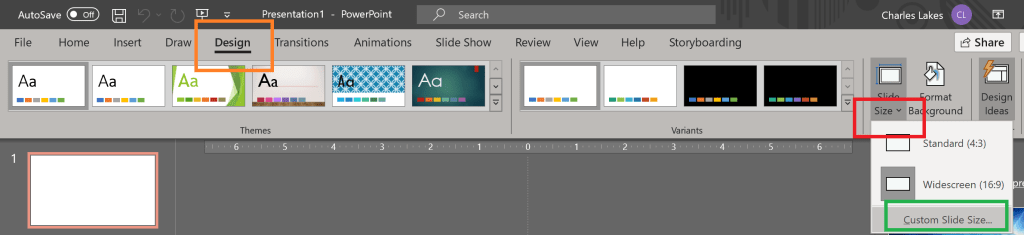
- Select Portrait for the Slides orientation.

- Click Insert in the ribbon.
- Click Shapes for generic blocks and overlays.
- Click Icons for generic mobile/ web app images.

- Search for Interface and find plenty of icons.

- Click View in the ribbon.
- Check Ruler.
- Check Guidelines.
- Check Guides.

NOTE: Images are of PowerPoint Version 2101.

Samples:
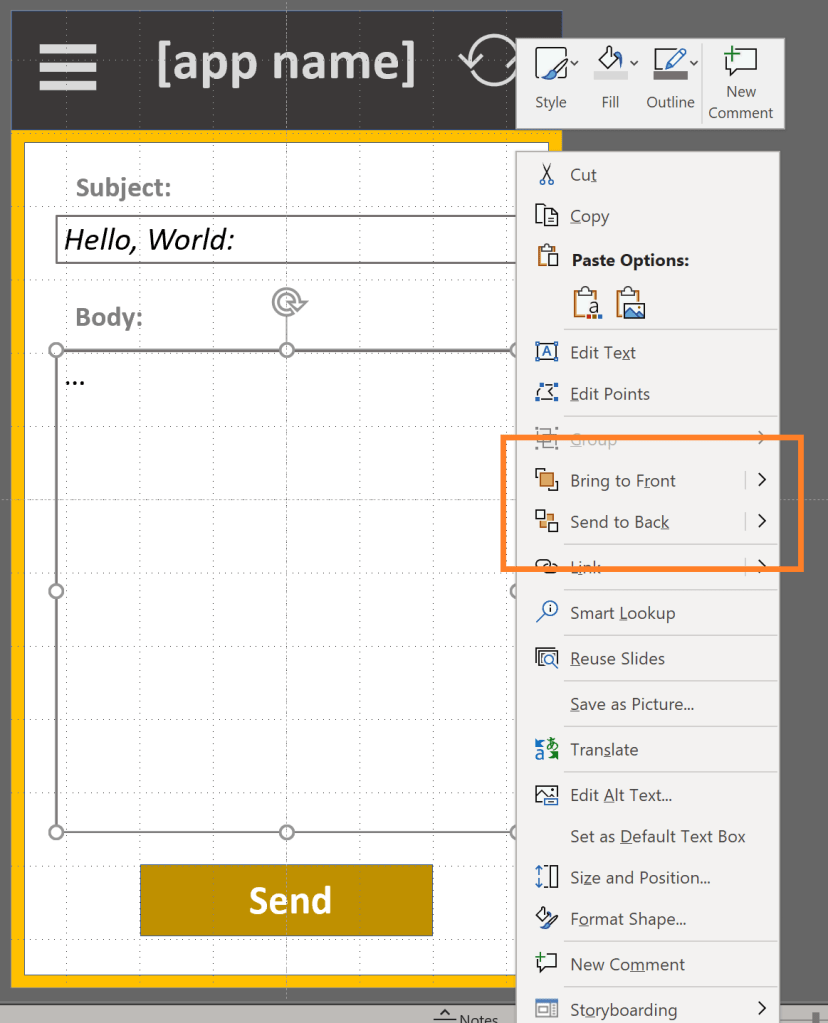
E.g., dummy app screen w/ layered elements. Content submissions.

E.g., dummy app screen w/ left-hover menu and menu options.

E.g., dummy app screen w/ registration information and submission button.
Conclusion:
PowerPoint slides can be the pages of the app. For each page, shapes and icons can be added, then layered to create detailed mockups.
“Where justice is denied, where poverty is enforced, where ignorance prevails, and where any one class is made to feel that society is an organized conspiracy to oppress, rob and degrade them, neither persons nor property will be safe.”
Frederick Douglass
#blacklivesmatter
 console.log('Charles');