Someone asked me about anonymous sharing with expiring links. Although this could be configured at the tenant level, it isn’t always set. As a workaround, how about a workflow to share a file, notify the recipient, then terminate the share?
If you have a license for Power Automate, then you can create cloud Flows and leverage Microsoft’s available connectors. The SharePoint Online connector itself has several actions, but the one to highlight is Create sharing link for a file or folder:
- E.g., Flow triggered when file created.
- Populate Site Address, then
- Populate Library Name, and
- Provide the Item Id of the created file.
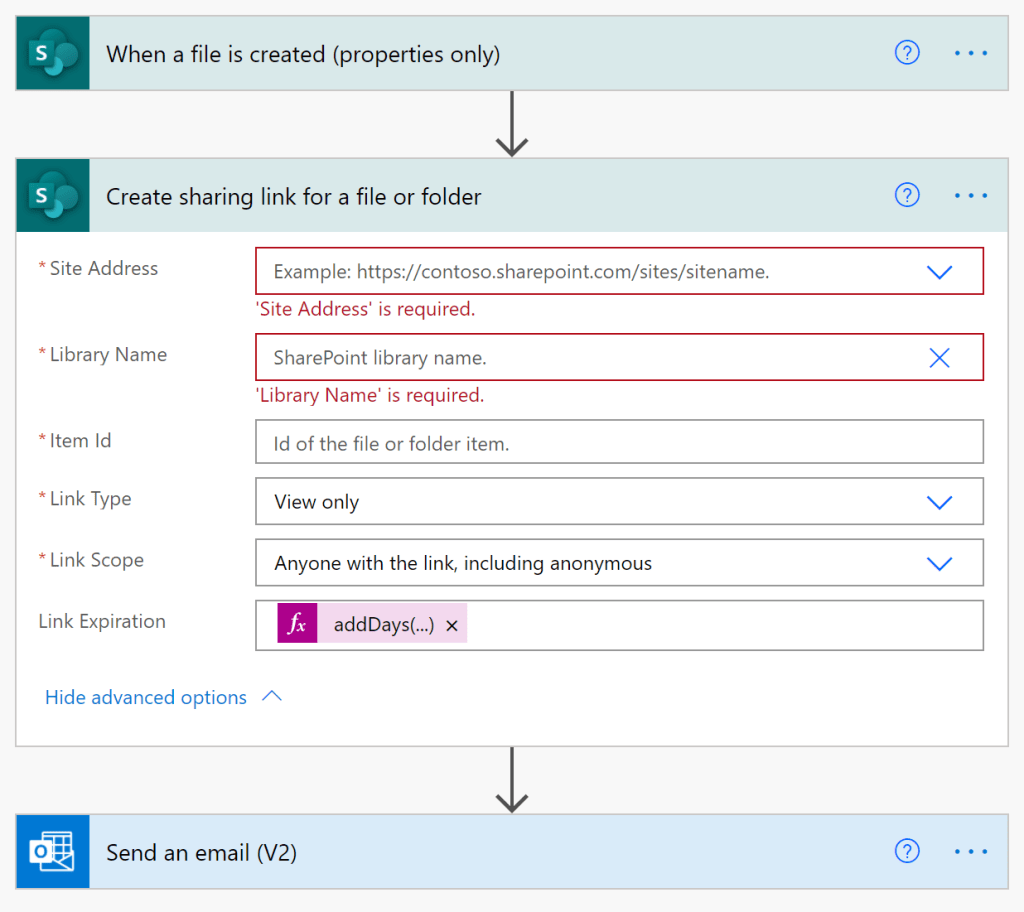
When the share link is created, there is the opportunity to specify the expiration date. For this flow, the share link will only live for 24 hours…
- E.g., today’s date plus 1 day.
addDays(utcNow(), 1, 'yyyy-MM-dd')
ALTERNATIVE:
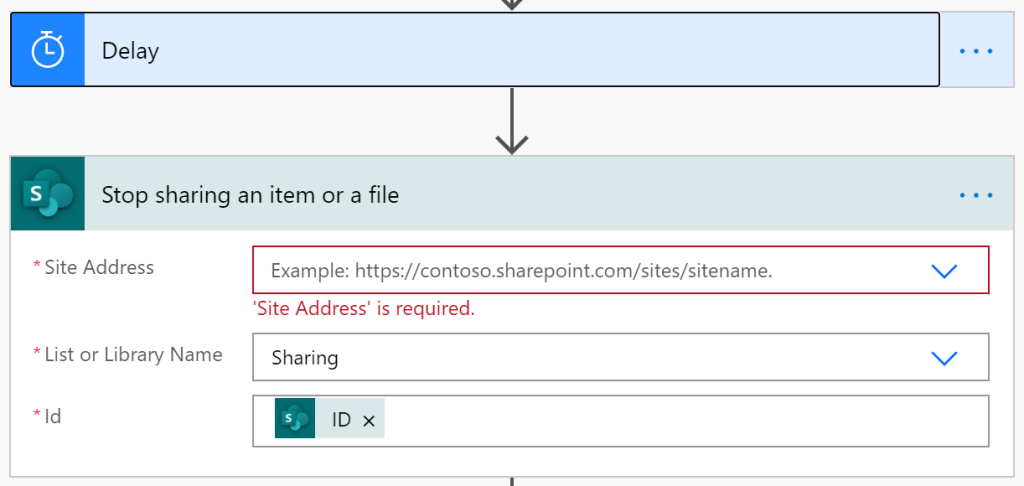
Add an action to Stop sharing an item or a file and a Delay action after the email is sent.
NOTE:
Ensure external sharing is enabled on both the tenant and the SPO site.

Conclusion:
SharePoint Online is already a versatile platform, but Power Automate augments the functionality. Instead of licensing third-party solutions, alternatives could be built in-house…
“You can kill a revolutionary but you can never kill the revolution.”
Fredrick Allen Hampton
#blacklivesmatter
 console.log('Charles');