Another solution of the Office 365 offering is Microsoft Forms. Although still evolving, Forms is great for building surveys, quizzes, and polls. But sometimes these forms needs to be jazzed up, so there are themes…

Once the themes are presented, there are a few available options:
- Select a color as the background.
- Select a picture as the background.
- Add a new picture as the background.

For those creating a lot of Forms, these options can start to feel limiting… Until the hidden themes are “unlocked”!
When a new form (/ quiz) is created, the generic title is Untitled form (/ Untitled quiz). But if certain words are used in the form (/ quiz) title, then a green lightning bolt appears with bonus themes:
- e.g., type “Music“
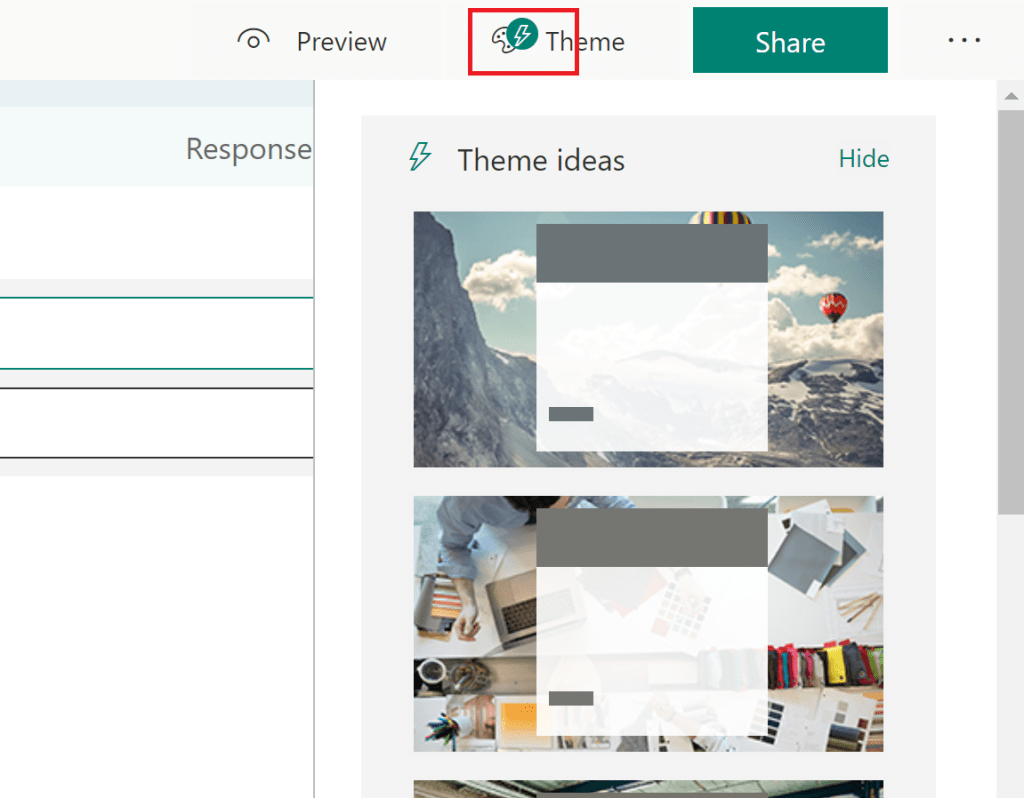
Other Terms:
- College
- School
- Party
- Festival
- Travel
Conclusion:
Microsoft Forms are easy to build and now they’re easier to jazz up. The hidden themes just add some additional spice…
“One doesn’t have to be a frontline activist … Everyone in the community has a role to play in transforming our community. Everyone must ask themselves, what is at stake in these times?”
Bree Newsome Bass
#blacklivesmatter
 console.log('Charles');
Thank you for this tip – exactly what I was looking for. Options popped up I had never seen with title “training.” “Book” isn’t too sexy.
LikeLiked by 1 person
Happy to help.
LikeLike