Microsoft’s Graph is a RESTful web API to interact with Office 365 services. Although still being developed, this currently includes CRUD operations for, but not limited to:
- SharePoint Online
- OneDrive for Business
- Outlook
- Microsoft Teams
- Excel
Many of these REST requests are well documented with examples, but Microsoft examples won’t address every scenario…
Example:
Use the Microsoft Graph Explorer to combine multiple requests and create a batch of folders. It helps to have Batching listed and review Microsoft’s sample:

Microsoft’s sample payload will create folder TestBatchingFolder in my [OneDrive for Business] account. Why? Because the url property of the JSON object begins with /me. This instructs the Graph API to use my ODfB account.

Note: Batch requests require the POST verb.
Note: Batch requests require the $batch variable.
Yet, I don’t want the folder(s) created in my ODfB account. Instead, I want this created in my [SharePoint Online] site. To correct this, replace /me/drive with /sites/root/drives:
Note: To specify a document library, provide its ID.
{
  "requests": [
    {
      "url": "/sites/root/drives/{{librGuid}}/root/children",
      "method": "POST",
      "id": "1",
      "body": {
        "name": "Folder 001",
        "folder": {}
      },
      "headers": {
        "Content-Type": "application/json"
      }
    }
  ]
}
Still, the previous example uses the root SPO site collection of the tenant. This won’t always be the case. But the url property specifies /sites/root…
Note: To specify a SPO site, replace root with the site ID.
{
  "requests": [
    {
      "url": "/sites/{{siteGuid}}/drives/{{librGuid}}/root/children",
      "method": "POST",
      "id": "1",
      "body": {
        "name": "Folder 001",
        "folder": {}
      },
      "headers": {
        "Content-Type": "application/json"
      }
    }
  ]
}
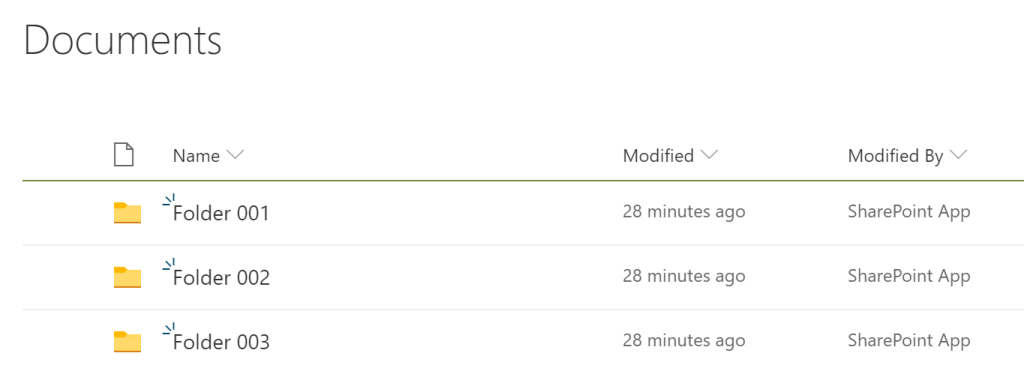
Success!
Conclusion:
The samples are great guides to build upon. Use Microsoft’s Graph Explorer as a playground and get dirty in the sandbox. If you want to test something, then test it…
“Test that theory.”
– Ayla
 console.log('Charles');
Pingback: Batching w/ Microsoft Graph API – Part II | console.log('Charles');