The Power Platform is a collective of Microsoft tools natively extensible across Azure. Bundled within this collective is Power Automate, a cloud-based tool facilitating the automation of business processes…
Noteworthy, Power Automate is great for empowering everyone; including none developers. Yet, it can feel restrictive to seasoned developers because things are done differently. The parsing of strings may require a few extra steps. For instance, getting the GUID from file name:
New Microsoft Word Document_751843209.docx
Option #1:
The developer could split the string twice to get the GUID. Split #1 uses the underscore as a delimiter, then returns the last array entry. Split #2 uses the period as the delimiter, then returns the first array entry:
var fileGuid = '';
var fileName = 'New Microsoft Word Document_751843209.docx';
fileGuid = fileName.split('_')[1];
fileGuid = fileGuid.split('.')[0];
Though, the above snippet could be reduced to…
var fileName = 'New Microsoft Word Document_751843209.docx';
var fileGuid = fileName.split('_')[1].split('.')[0];
However, because Power Automate isn’t a a high-level programming language, the steps are broken out for ease of readability:

e.g., return file name from Microsoft Teams.

last(split(variables('thisFile'), '_'))
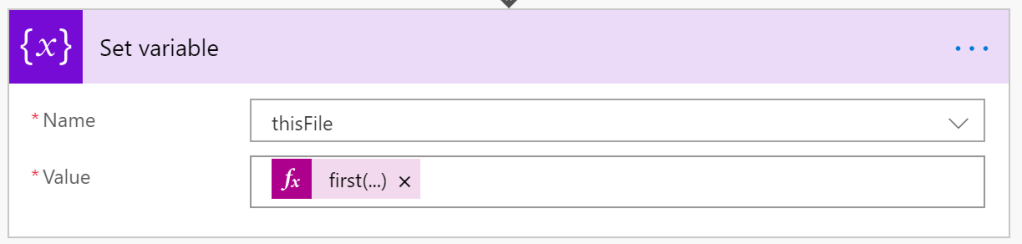
first(split(variables('thisTemp'), '.'))
Option #2:
For anyone open to an alternative, substring() is still an option. Because the GUID is towards the end, trim everything around it:
var fileName = 'New Microsoft Word Document_751843209.docx';

var index1 = fileName.lastIndexOf('_');
var index2 = fileName.lastIndexOf('.');
fileName = fileName.substring((index1 + 1), (index2 - index1 - 1));
Or simplify the above to:
var fileName = 'New Microsoft Word Document_751843209.docx';

fileName = fileName.substring(fileName.lastIndexOf('_') + 1);
fileName = fileName.substring(0, fileName.indexOf('.'));
Again, Power Automate may need a few extra steps for readability. Initialize two index variables for the delimiters:
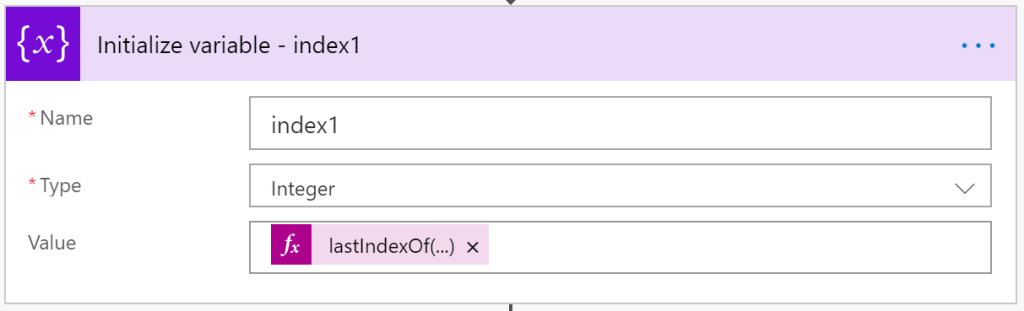
lastIndexOf(variables('thisFile'), '_')

lastIndexOf(variables('thisFile'), '.')
Then parse out the GUID using the index variables:

substring(
   variables('fileName'),
   add(variables('index1'), 1),
   sub(sub(variables('index2'), variables('index1'), 1)
)
Notes:
- To add or subtract, values are passed as parameters.
- These formula parameters are passed two at a time:
- e.g., “3 + 6 + 9” is formatted as “add( add( 3, 6 ), 9)”
- e.g., “99 – 66 – 33” is formatted as “sub( sub( 99, 66 ), 33 )”
SUCCESS!

Conclusion:
Power Automate is powerful, but often has a learning curve for more seasoned developers. The learning curve might require a few extra steps to complete some simple tasks… Though, a few extra steps isn’t the end of the world.
“There is a limit on how much information you can keep bottled up.”
Dick Gregory
 console.log('Charles');