[SharePoint Online] apps are essential to SPO sites. The Custom List is a common app, but the Document Library app is probably the most popular. There will always be a request to host documents. But these apps require some considerations…
What are these considerations? App names! Keep in mind that SPO apps have static and dynamic names. The default Documents library is an example of this:

This app’s dynamic name is Documents, but the static name is Shared Documents. Dynamic names appear in site navigation while static names appear in the site URL. Additionally, static names are unique app identifiers per SPO site, but dynamic names aren’t required to be unique…
Note: Static names are permanent.
Static app names:
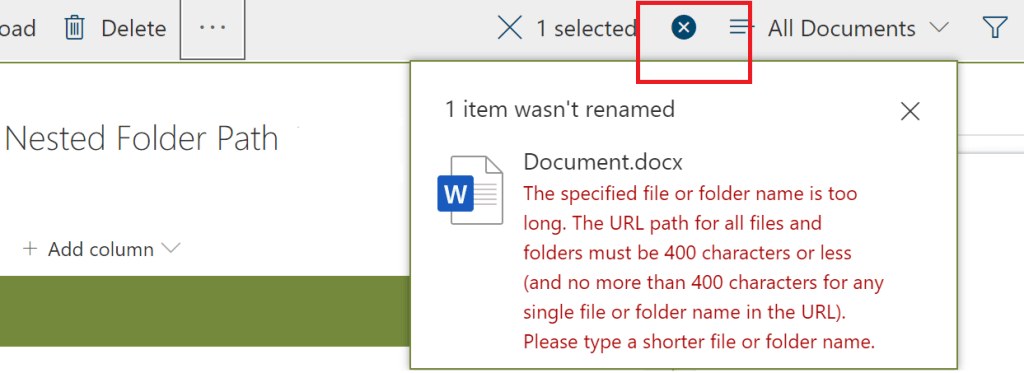
As previously mentioned, the static name of an app is a part of the site URL. If deeply nested folders run rampant, then working with deeply nested files may pose problems.
“The entire path, including the file name, must contain fewer than 400 characters for OneDrive, OneDrive for Business and SharePoint Online.” Else, issues arise when attempting to:
- create files,
- update files,
- rename files,
- etc.
Dynamic app names:
Dynamic names are flexible via the browser, but are persistent if the document library is synced to a computer. This persistent name should be considered for those using the Windows operating system. For instance, the Windows OS has a total file path limit which is defined as 260 characters.
This 260 character limit includes the:
- the file path,
- the file name, and
- the file extension.

Conclusion:
SharePoint Online has a lot of considerations. One of these considerations is total file path lengths for deeply nested content.
The nesting of folders isn’t going away any time soon.
“Life without knowledge is death in disguise.”
Talib Kweli
 console.log('Charles');