Because of a recent initiative, I need to rename my Showcase site to Product Showcase. SharePoint (SP) site names are dynamic so I can update this through the UI… The change is simple and the update is immediate. But my site URL doesn’t reflect this change. Why? Because site URLs are static…
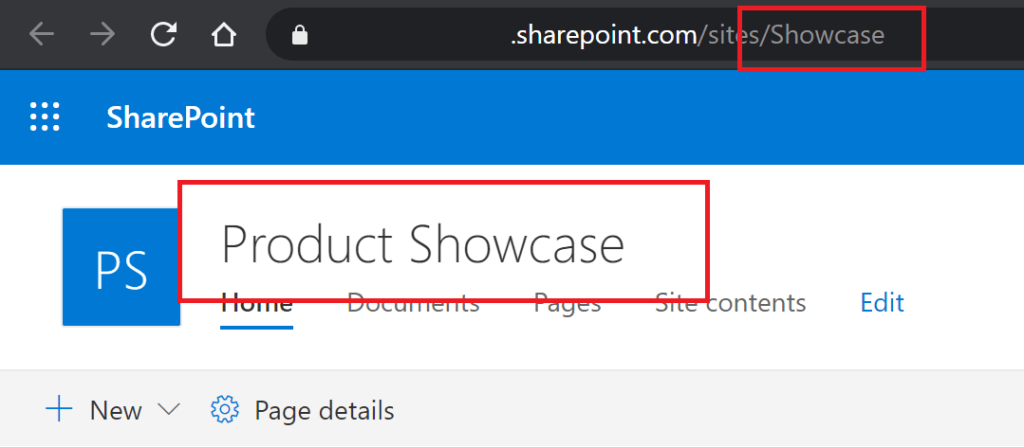
SP sites are easy to create. Probably too easy for some people, but nonetheless, they are easy to create. However, I have to keep in mind that when I create my sites, the names are dynamic and URLs are static. I should be intentional when naming my sites because of this. Common department sites are unlikely to change, so they can use either abbreviations or be spelled out:
- Finance
- HR
- IT
- Marketing
But I prefer to create my SP sites using a numerical value for the name. Any numerical value works, but I often use 5-digit values similar to a zip code. Once the site is created, I can rename it to something more descriptive:
- 30349
- 10016
- 60290
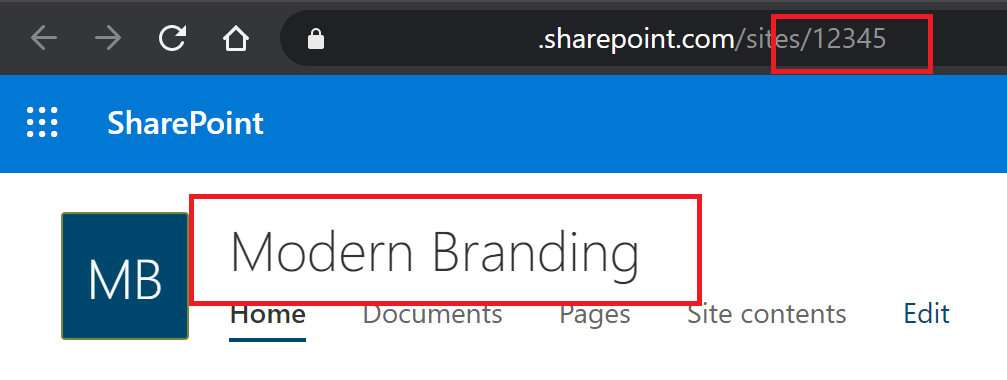
Note: 5-digit values will allow 100K numerical combinations.
SharePoint Server 2010 / 2013
But if I wasn’t intentional with my site names, all is not lost. SharePoint Server site URLs can be “changed“; in a roundabout way. This involves some PowerShell wizardry though…
- Backup-SPSite
- Create a .bak file of the target site.
- Include permissions and content.
- New-SPSite
- Create a new site using the previous .bak file.
- Use the new site name and new site URL.
- Remove-SPSite
- Remove the original site.
- Update any old links pointing to the removed site.
Note: These commands must be run on a SP server.
This isn’t a perfect on-premise rename solution, but it does the job…
SharePoint Online
The PowerShell commands for SharePoint Server are NOT available for SharePoint Online (SPO). However, updating SPO site URLs is a highly requested feature. After much outcry, Microsoft is introducing a method to update SPO site URLs:
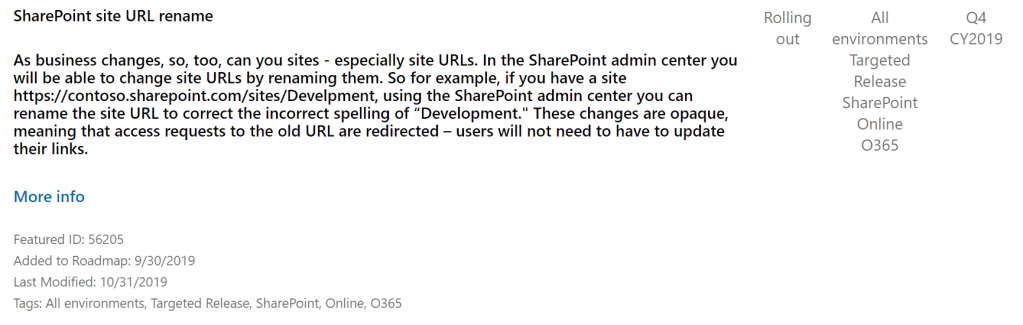
This will be a game changer, but it still helps to be intentional with site names. Why? Because if I update the URL of my SPO site and its a group connected site, then my connected apps could be impacted:
- Planner
- Teams
- Outlook
- Forms
- etc.
However, if my SPO site isn’t group connected, it could still negatively impact applications using its URL:
- Power Apps
- Power Automate
- Power BI
- Dynamics
- etc.
Static URLs are essentially addresses that applications use to identify the SPO site. Changing this address requires that their address books are properly updated.
Conclusion:
Although there are ways to change/ update SharePoint site URLs, it helps to be intentional with site names to begin with.
“Rules are rules.”
Kinro
 console.log('Charles');